
一、什么是DSL
Elasticsearch 提供了基于JSON的完整 Query DSL(Domain Specific Language,领域特定语言)来定义查询。
1.1 环境准备
1.1.1 创建索引指定数据映射
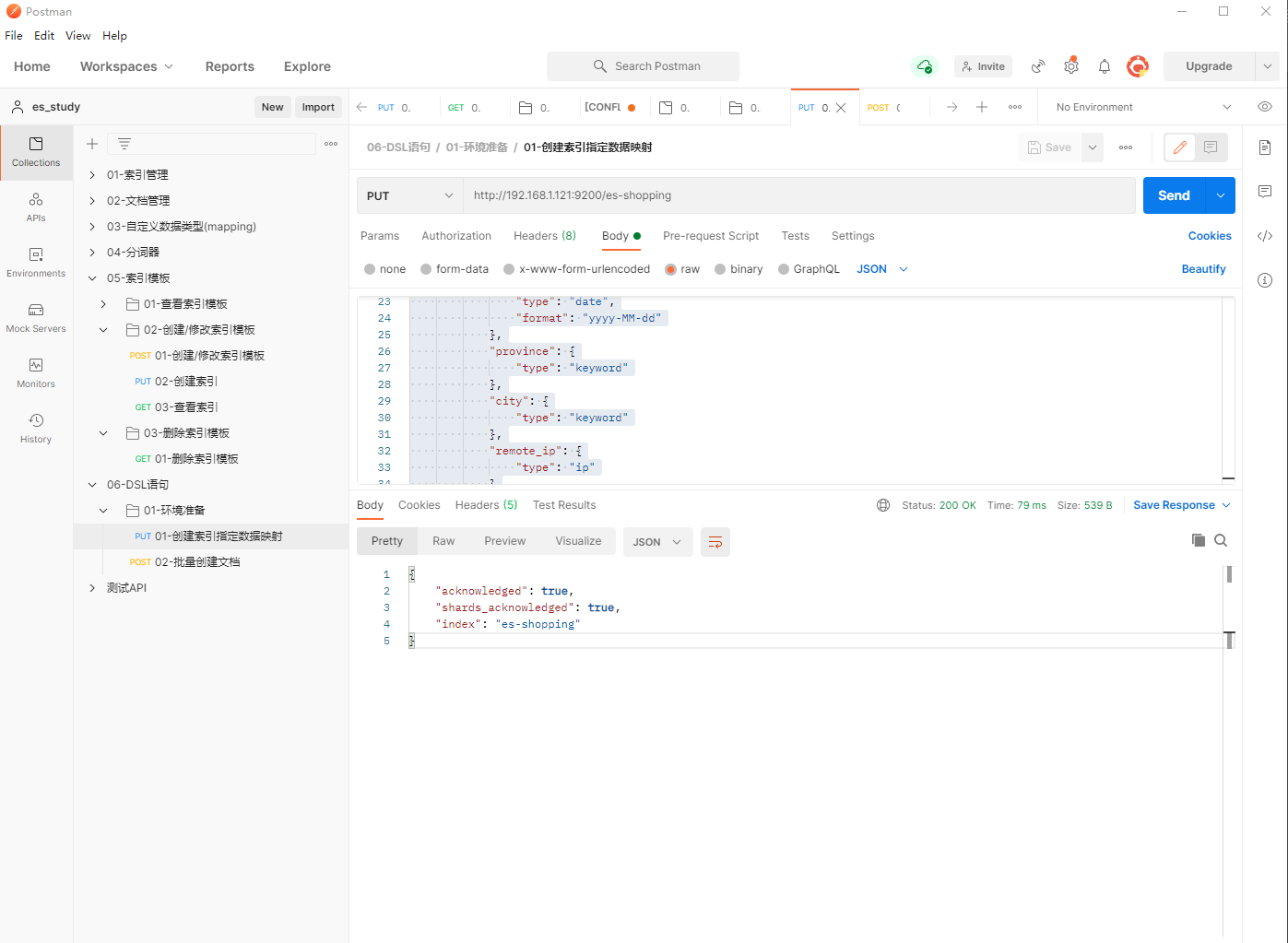
1、填写PUT请求http://192.168.1.121:9200/es-shopping,创建索引并指定数据映射
{
    "mappings": {
        "properties": {
            "item": {
                "type": "text"
            },
            "title": {
                "type": "text"
            },
            "price": {
                "type": "double"
            },
            "type": {
                "type": "keyword"
            },
            "group": {
                "type": "long"
            },
            "auther": {
                "type": "text"
            },
            "birthday": {
                "type": "date",
                "format": "yyyy-MM-dd"
            },
            "province": {
                "type": "keyword"
            },
            "city": {
                "type": "keyword"
            },
            "remote_ip": {
                "type": "ip"
            }
        }
    }
}
1.1.2 批量创建文档
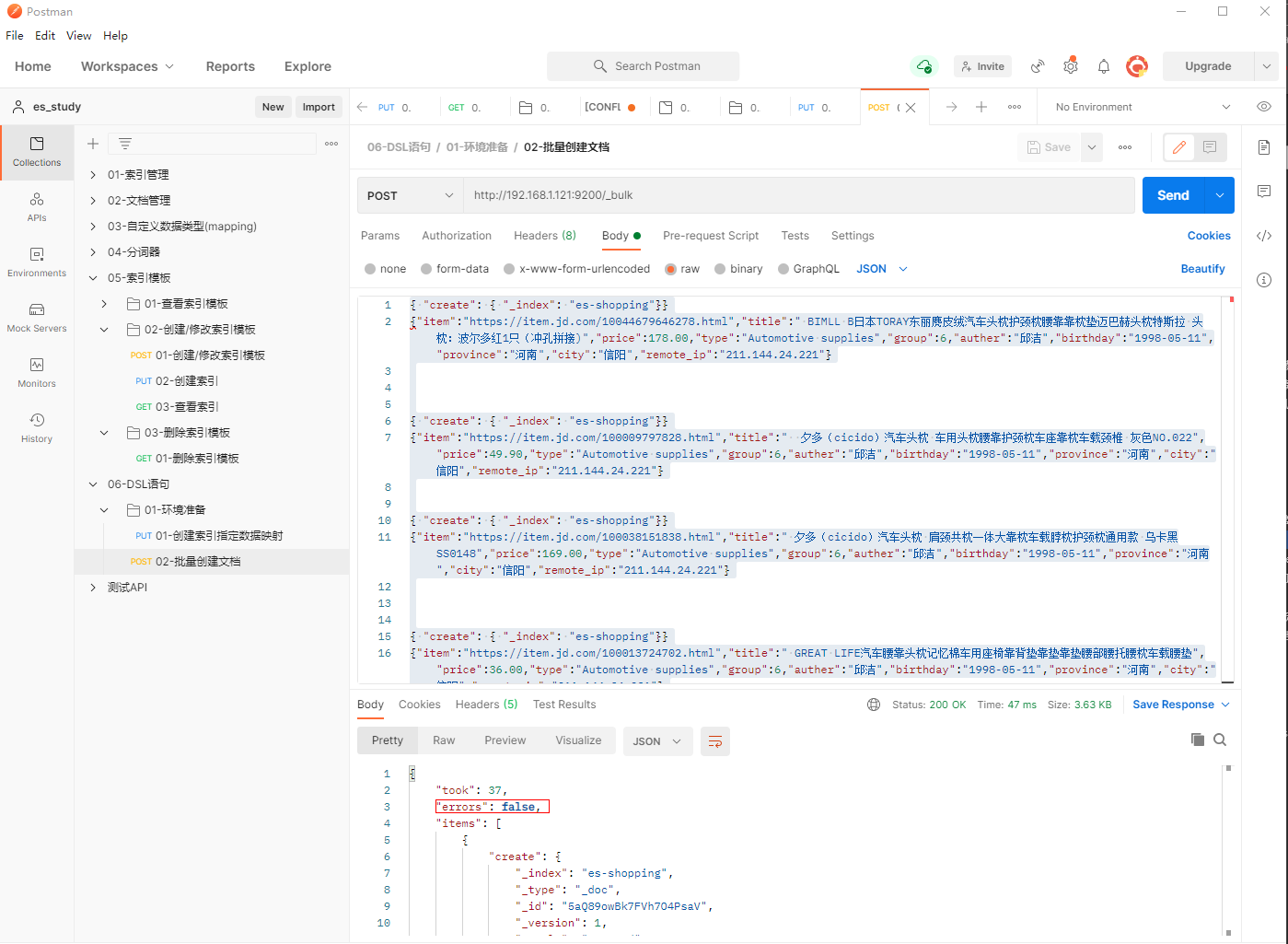
1、填写POST请求http://192.168.1.121:9200/_bulk,批量创建文档

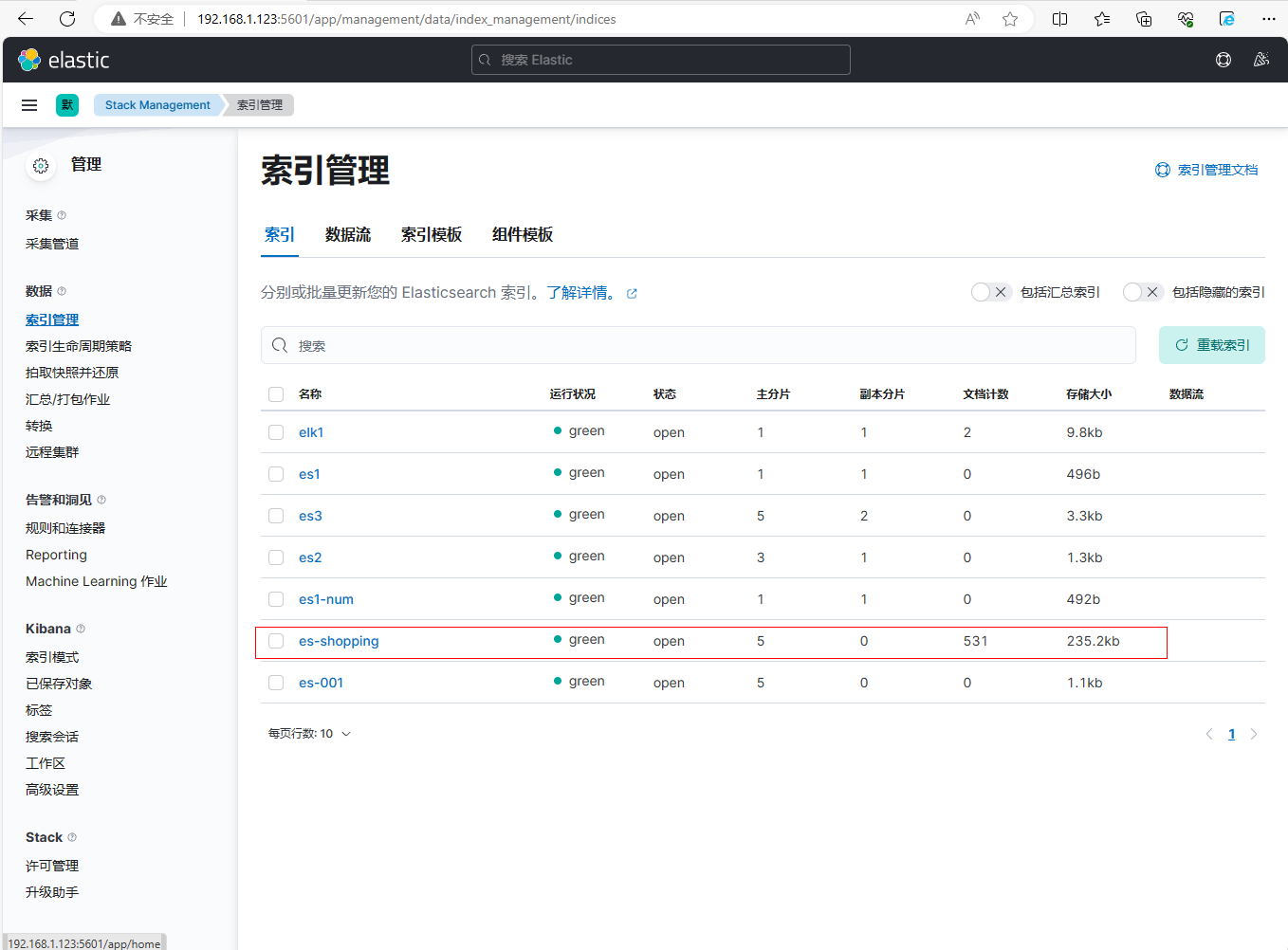
2、在kibana界面上进行查看,成功导入
二、全文检索-match查询
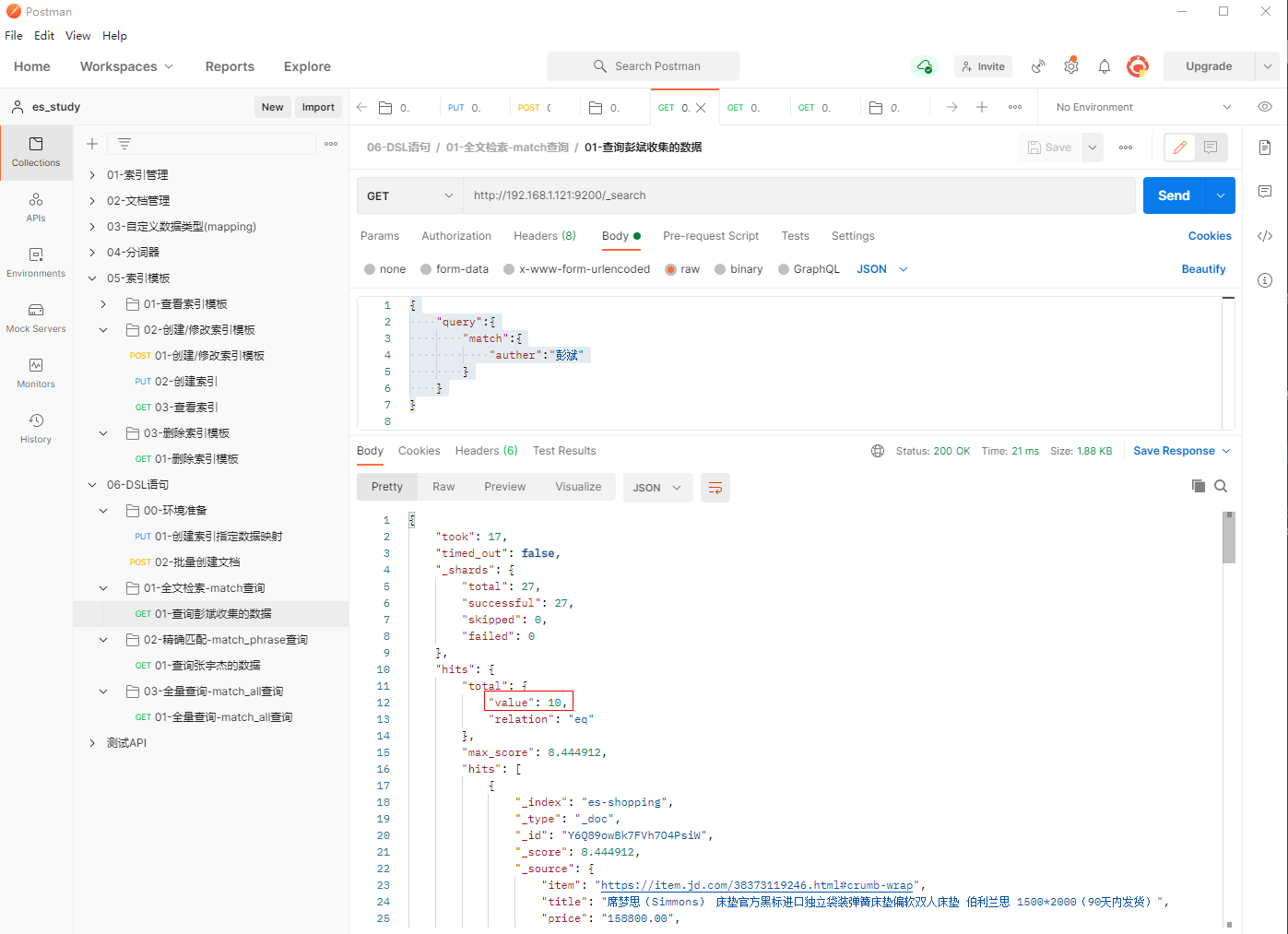
1、填写GET请求http://192.168.1.121:9200/_search,查询彭斌收集的数据
{
    "query":{
        "match":{
            "auther":"彭斌"
        }
    }
}
三、精确匹配-match_phrase查询
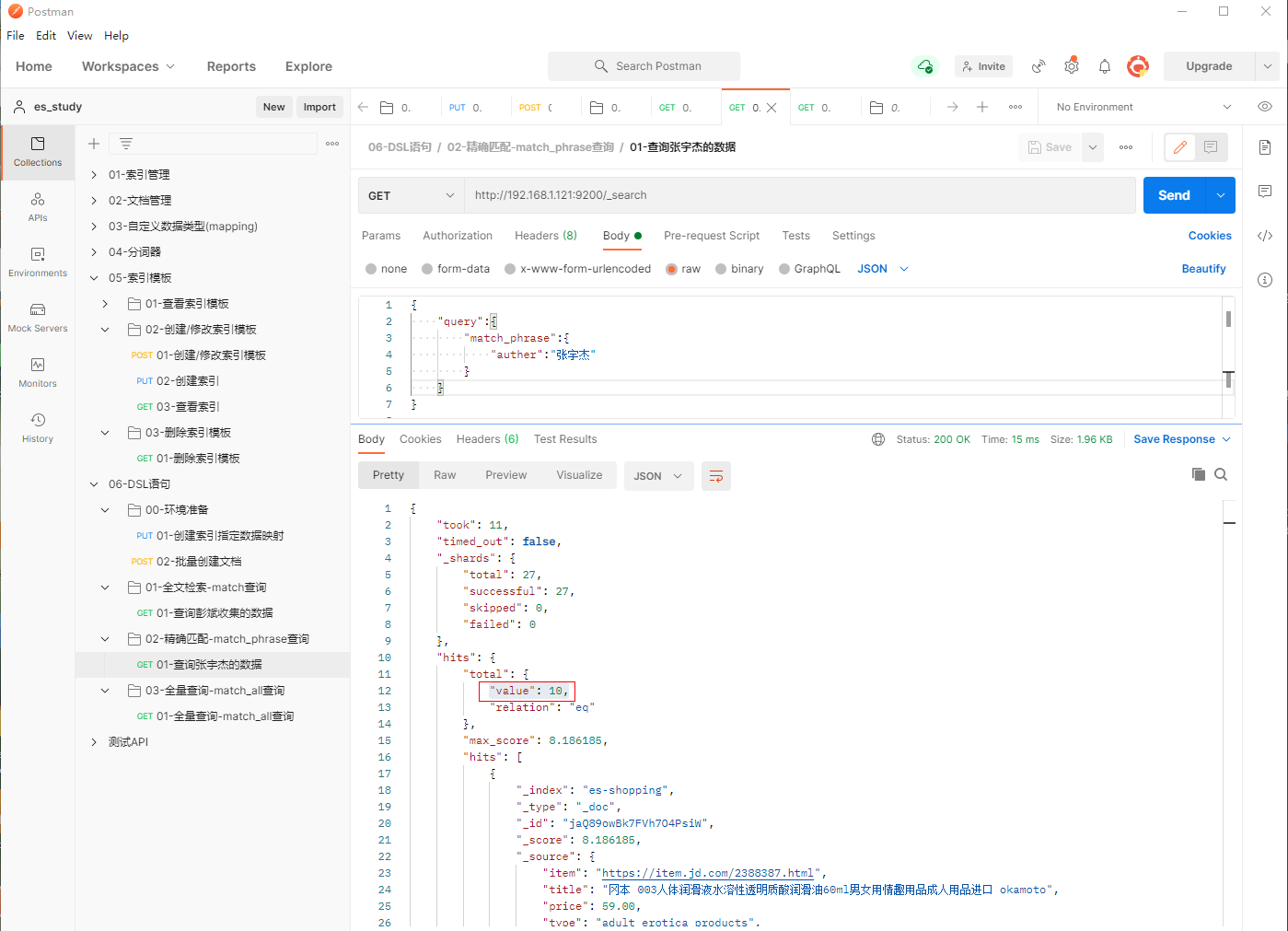
1、填写GET请求http://192.168.1.121:9200/_search,查询张宇杰的数据
{
    "query":{
        "match_phrase":{
            "auther":"张宇杰"
        }
    }
}
四、全量查询-match_all查询(默认查询方式)
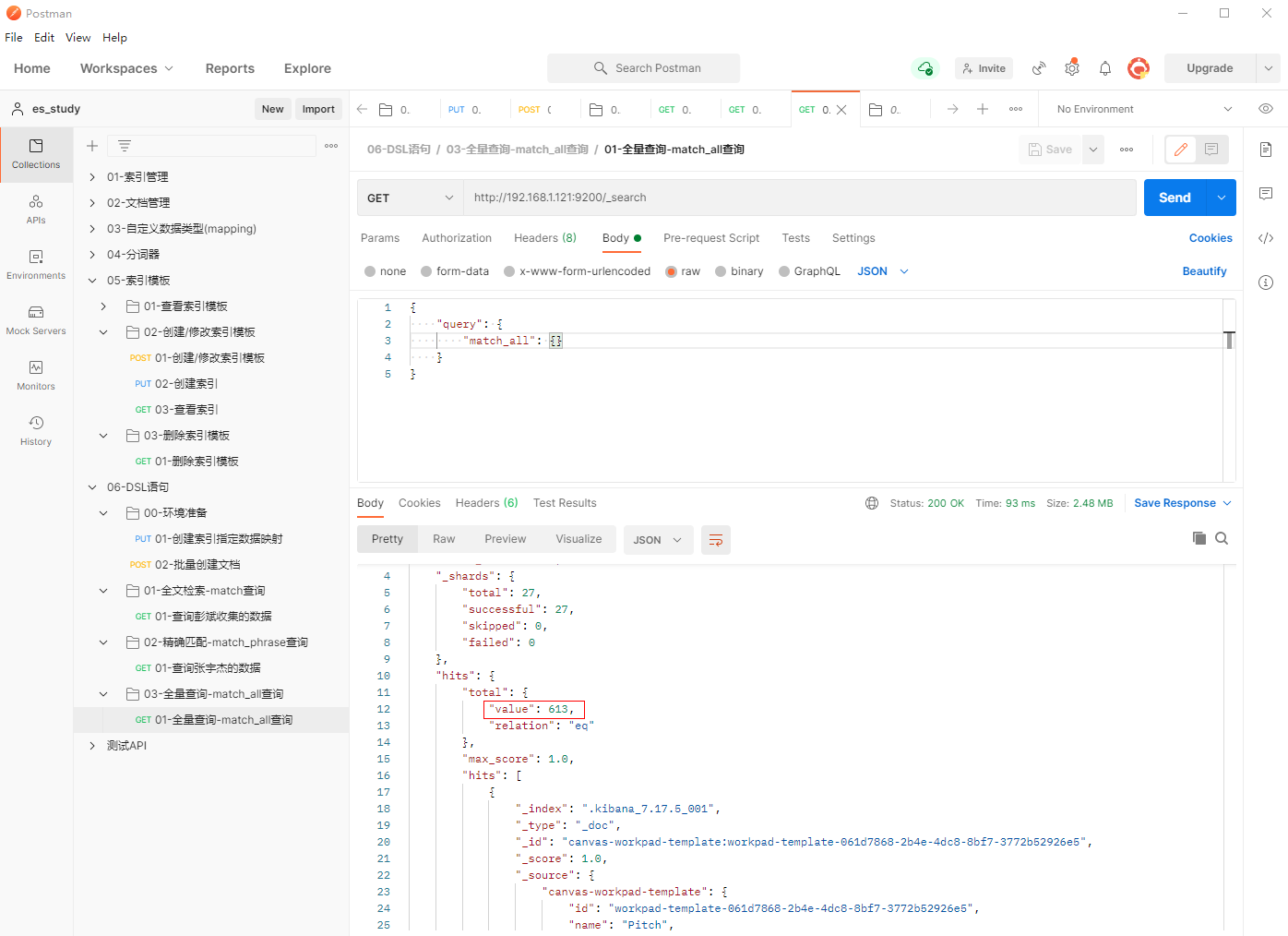
1、填写GET请求http://192.168.1.121:9200/_search,全量查询
{
    "query": {
        "match_all": {}
    }
}
五、分页查询-size-from
5.1 每页显示3条数据,查询第四页
1、填写GET请求http://192.168.1.121:9200/es-shopping/_search,每页显示3条数据,查询第四页
{
    "query":{
        "match_phrase":{
            "auther":"张宇杰"
        }
    },
    "size": 3,
    "from":9
}
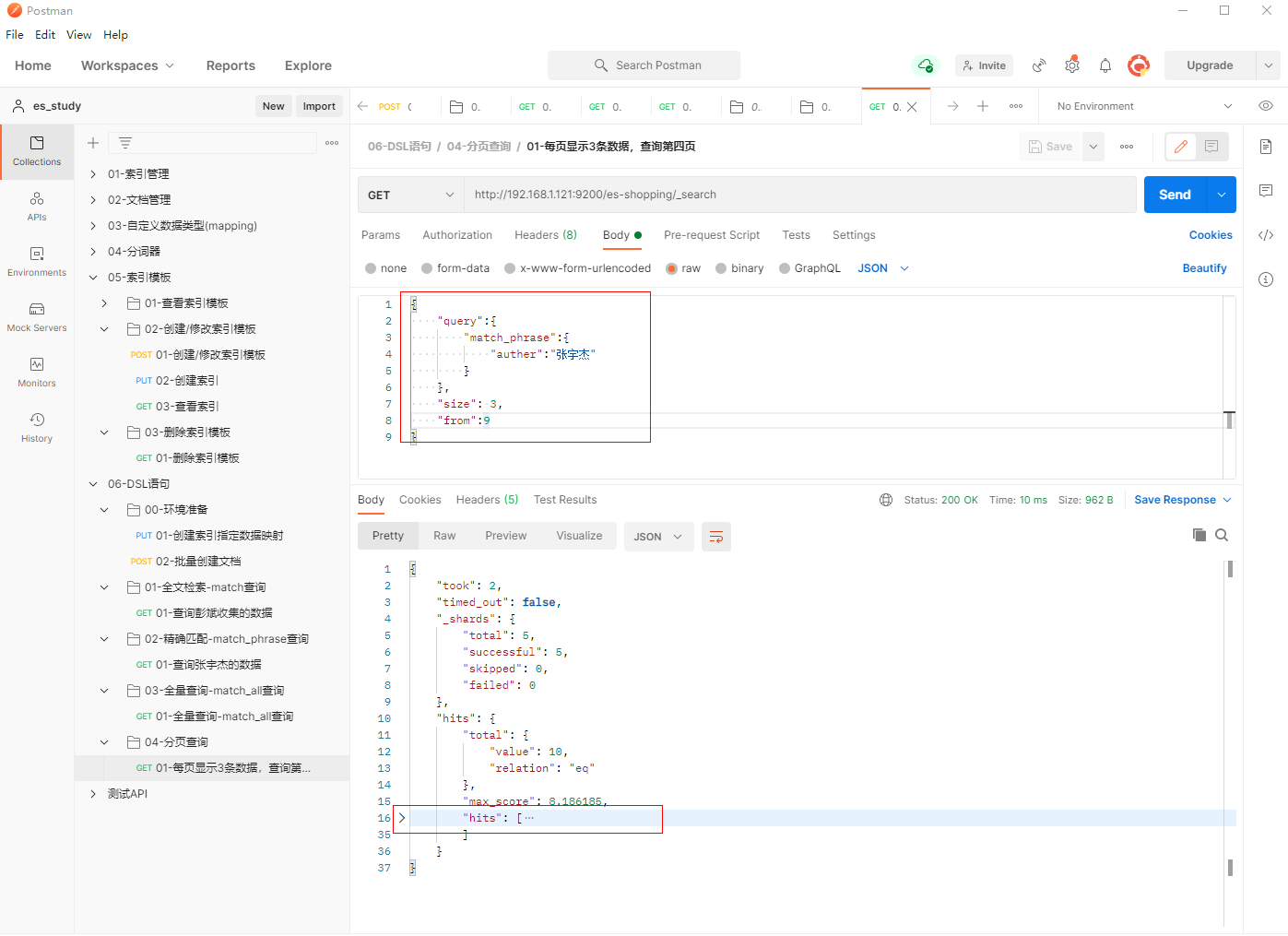
说明:总共匹配10条数据,每页显示3条数据,查询第4页时就会只能显示1条数据
2、相关参数说明
<colgroup> <col style="width: 50%" /> <col style="width: 50%" /> </colgroup>| 参数名称 | 参数说明 |
|---|---|
| size | 指定每页显示多少条数据,默认值为10. |
| from | 指定跳过数据偏移量的大小,默认值为0,即默认看第一页。 查询指定页码的from值 = "(页码 - 1) * 每页数据大小(size)" |
注意事项:生产环境中,不建议深度分页,百度的页码数量控制在76页左右。
5.2 查询第六组数据,每页显示7条数据,查询第9页
1、填写GET请求http://192.168.1.121:9200/es-shopping/_search, 查询第六组数据,每页显示7条数据,查询第9页
{
    "query":{
        "match":{
            "group":6
        }
    },
    "size":7,
    "from": 56
}
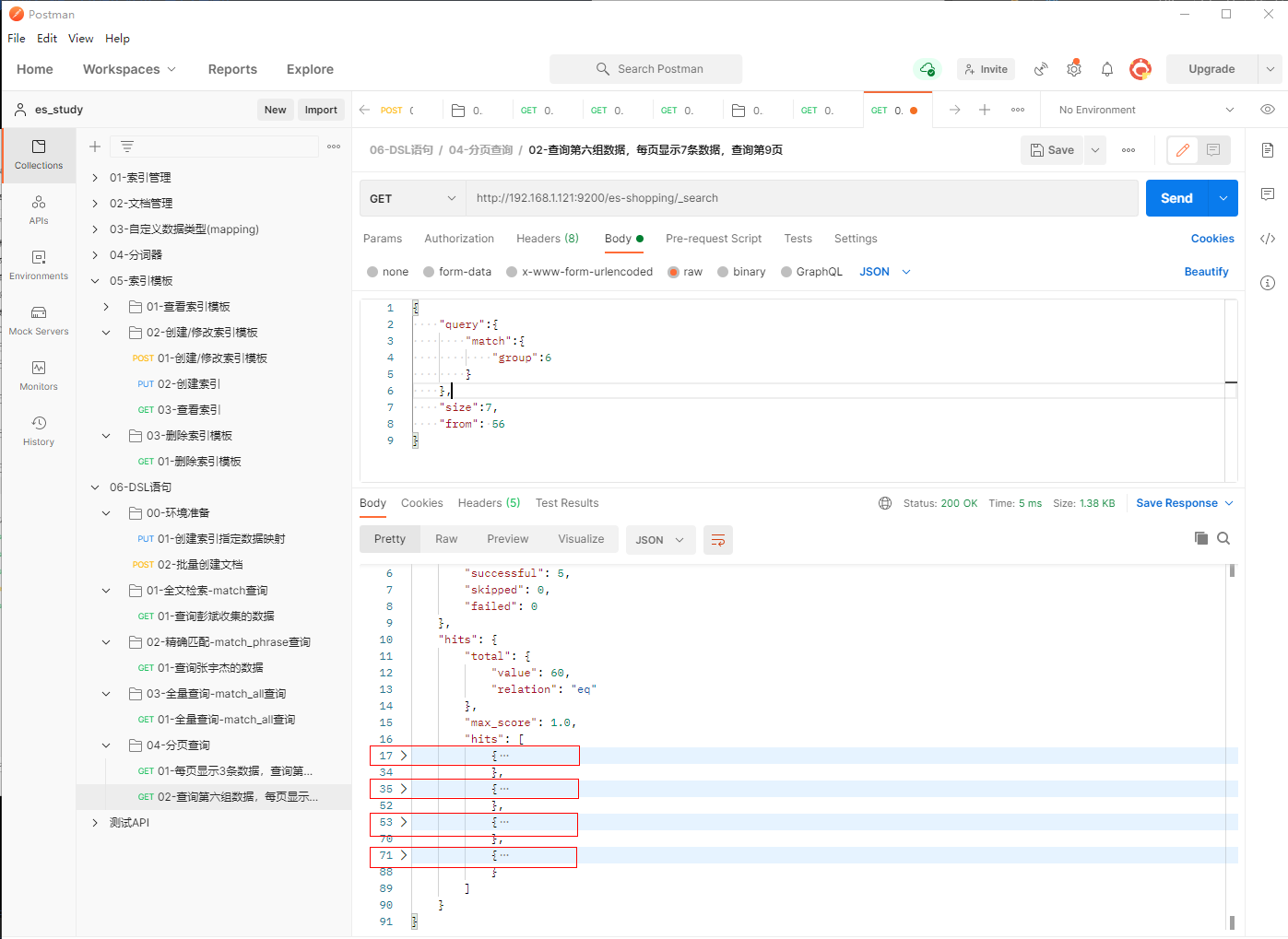
说明:总共匹配60条数据,每页显示7条数据,查询第9页时就会只能显示4条数据
2、相关参数说明
<colgroup> <col style="width: 50%" /> <col style="width: 50%" /> </colgroup>| 参数名称 | 参数说明 |
|---|---|
| size | 指定每页显示多少条数据,默认值为10. |
| from | 指定跳过数据偏移量的大小,默认值为0,即默认看第一页。 查询指定页码的from值 = "(页码 - 1) * 每页数据大小(size)" |
注意事项:生产环境中,不建议深度分页,百度的页码数量控制在76页左右。
六、查看"_source"对象的指定字段(字段已存在)
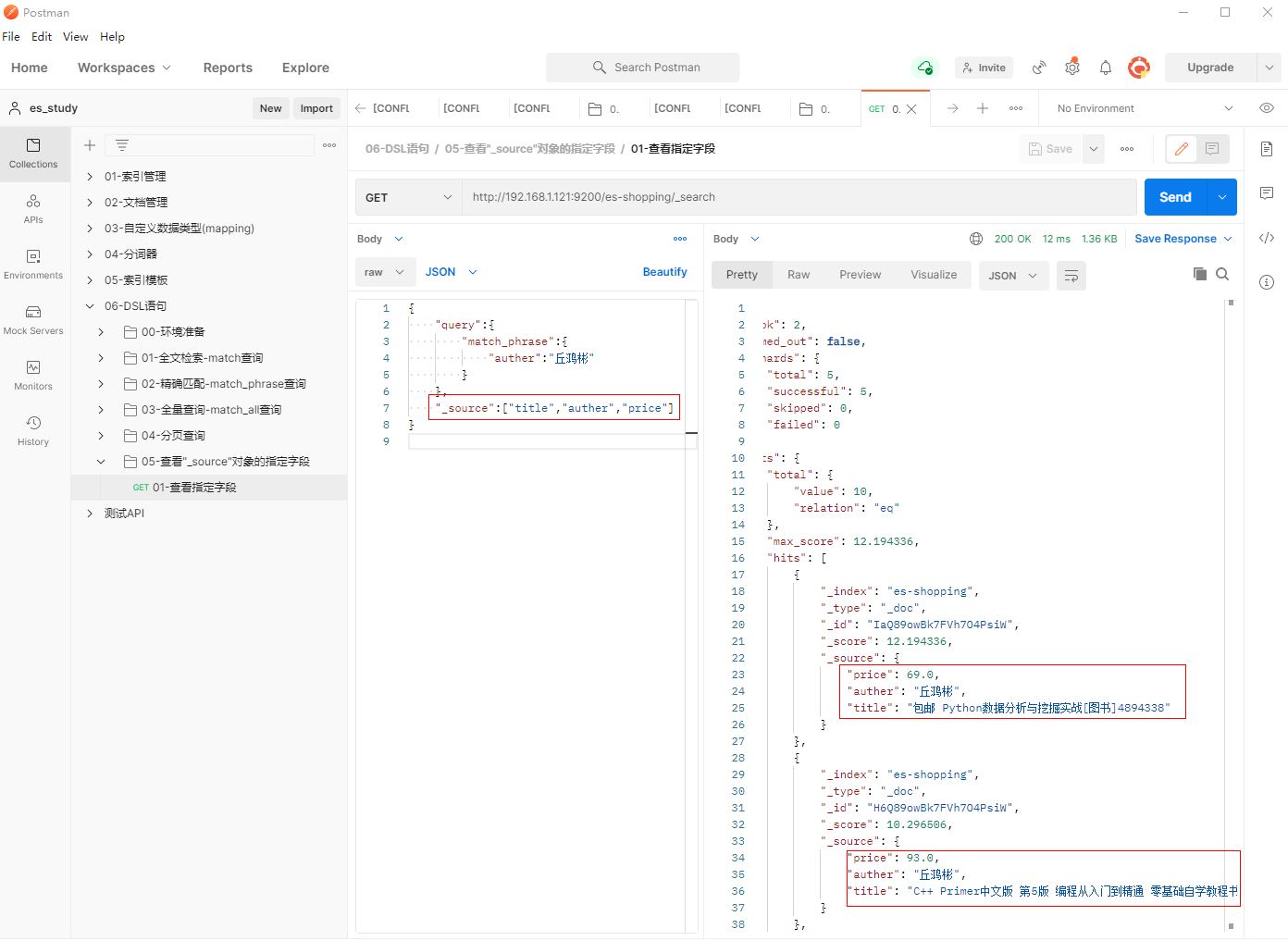
1、填写GET请求http://192.168.1.121:9200/es-shopping/_search, 查询作者为丘鸿彬且字段为"title","auther","price"的内容
{
    "query":{
        "match_phrase":{
            "auther":"丘鸿彬"
        }
    },
    "_source":["title","auther","price"]
}
七、查询存在某个字段的文档-exists(字段不确定存在)
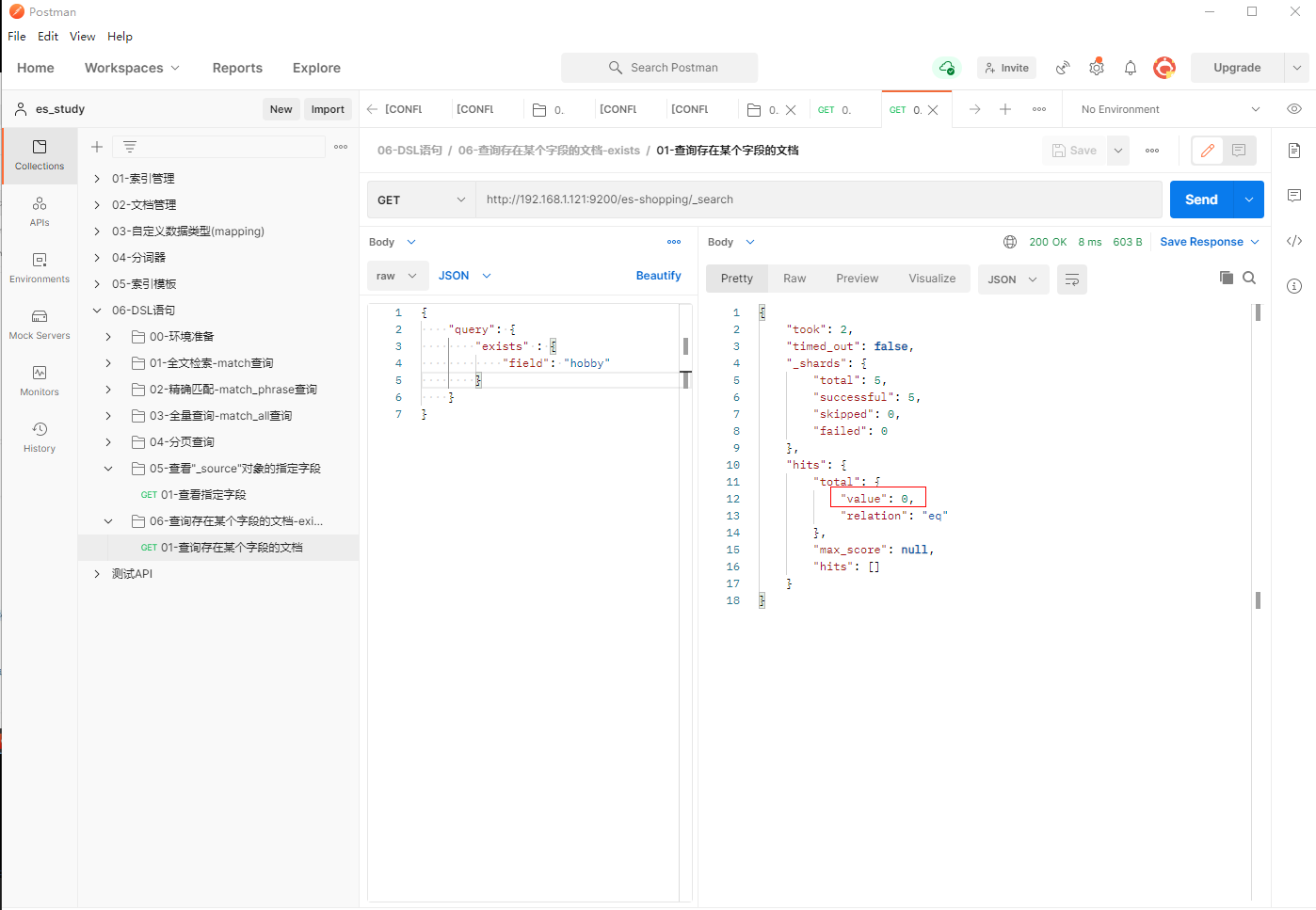
1、填写GET请求http://192.168.1.121:9200/es-shopping/_search, 查询字段为"hobby"的内容
{
    "query": {
        "exists" : {
            "field": "hobby"
        }
    }
}
八、语法高亮-highlight
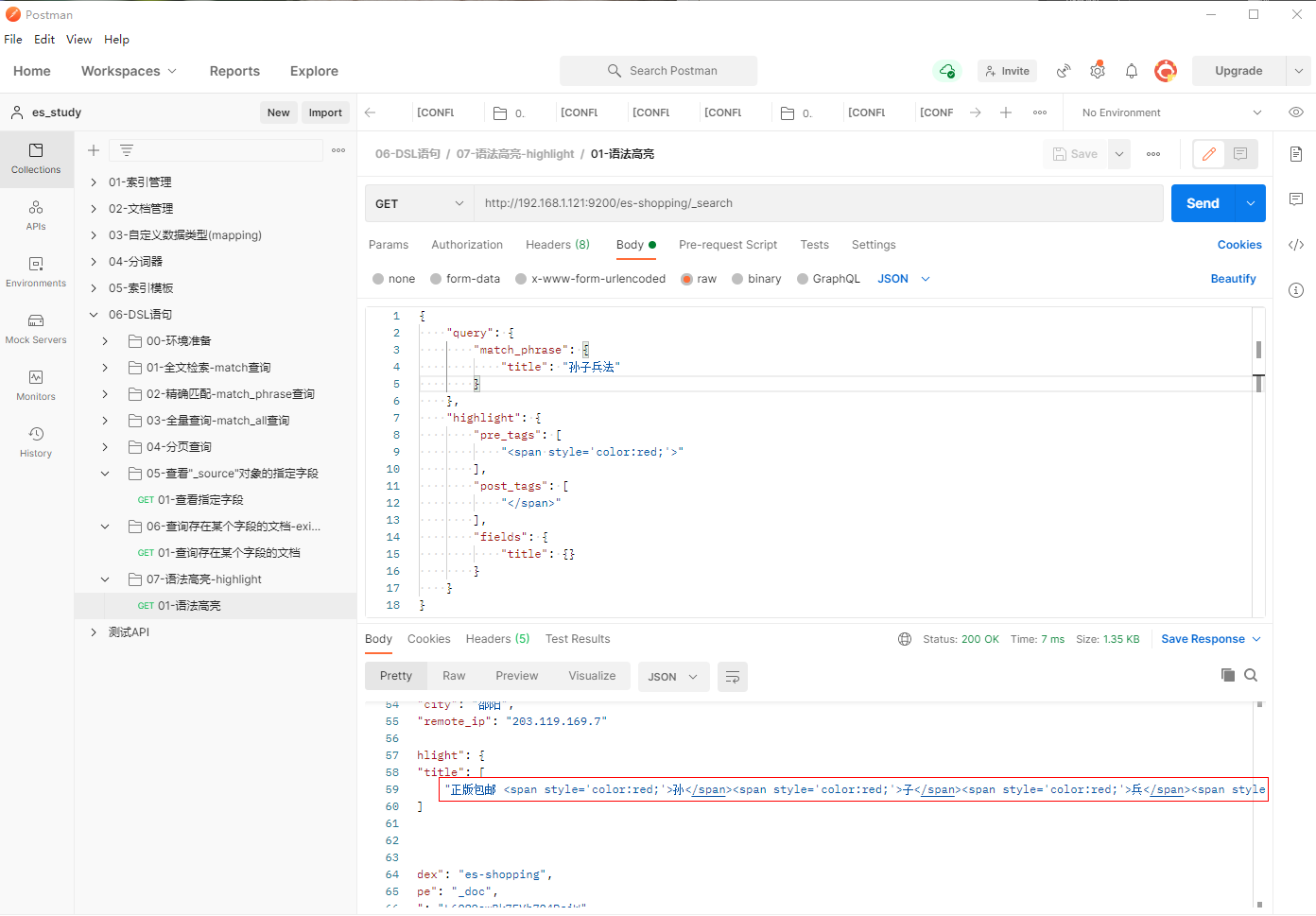
1、填写GET请求http://192.168.1.121:9200/es-shopping/_search, 查询字段为"hobby"的内容
{
"query": {
"match_phrase": {
"title": "孙子兵法"
}
},
"highlight": {
"pre_tags": [
"<span style='color:red;'>"
],
"post_tags": [
"</span>"
],
"fields": {
"title": {}
}
}
}
九、基于字段进行排序-sort
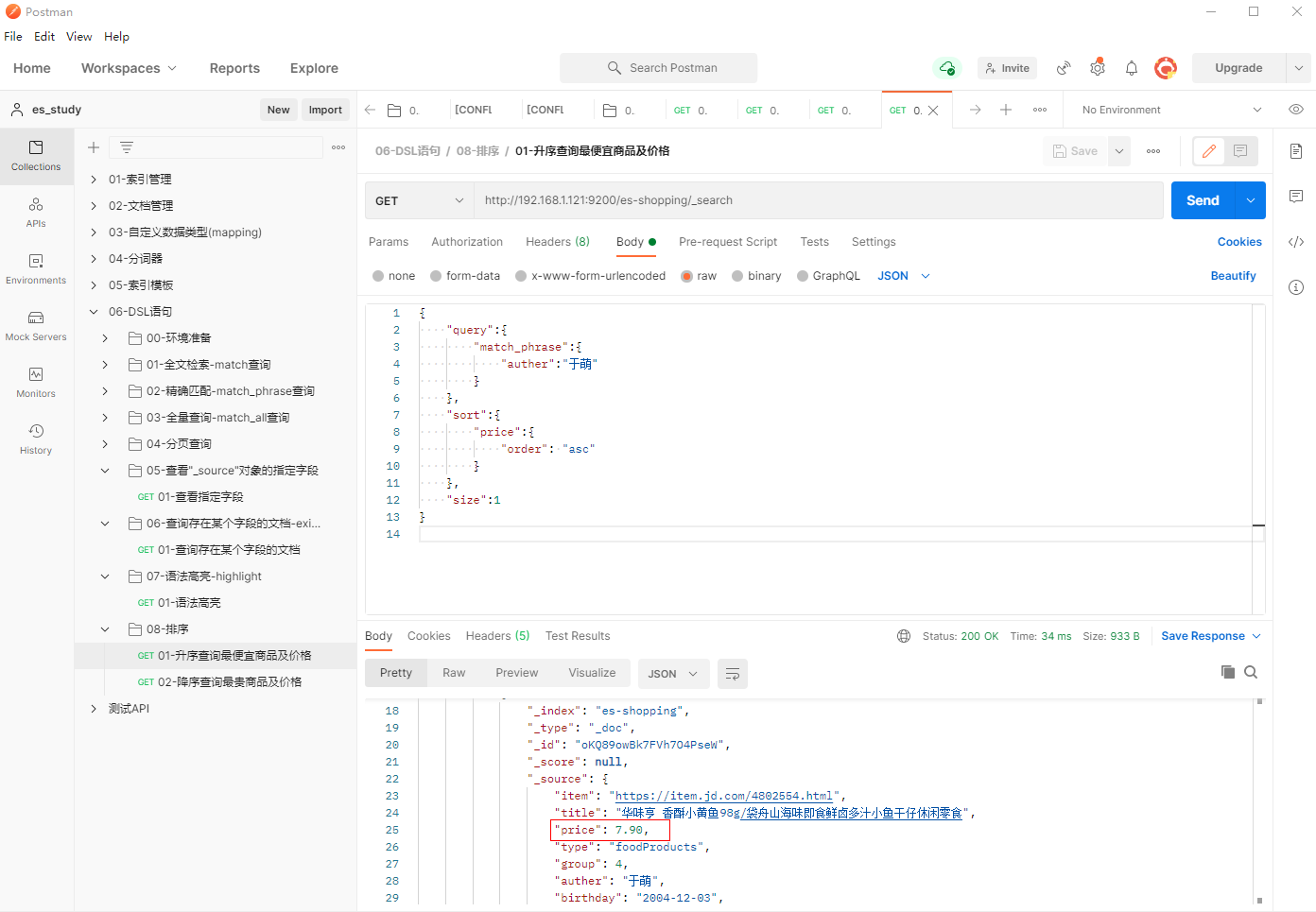
9.1 升序查询最便宜商品及价格
1、填写GET请求http://192.168.1.121:9200/es-shopping/_search, 升序查询最便宜商品及价格
{
    "query":{
        "match_phrase":{
            "auther":"于萌"
        }
    },
    "sort":{
        "price":{
            "order": "asc"
        }
    },
    "size":1
}
相关字段说明
-
sort: 基于指定的字段进行排序。此处为指定的是"price"
-
order: 指定排序的规则,分为"asc"(升序)和"desc"(降序)。
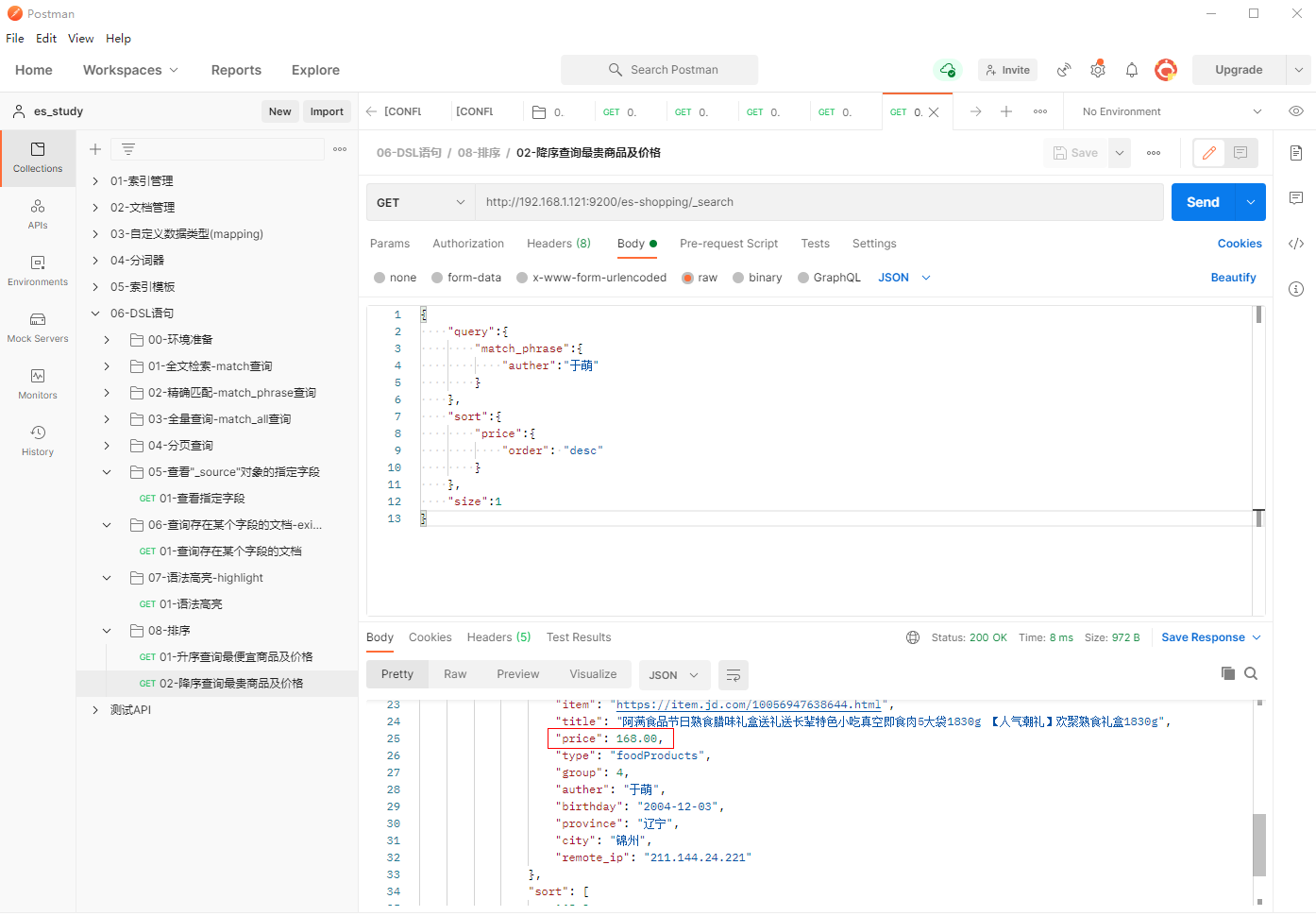
9.2 降序查询最贵的商品及价格
1、填写GET请求http://192.168.1.121:9200/es-shopping/_search, 降序查询最贵商品及价格
{
    "query":{
        "match_phrase":{
            "auther":"于萌"
        }
    },
    "sort":{
        "price":{
            "order": "desc"
        }
    },
    "size":1
}
相关字段说明
-
sort: 基于指定的字段进行排序。此处为指定的是"price"
-
order: 指定排序的规则,分为"asc"(升序)和"desc"(降序)。
十、多条件查询-bool
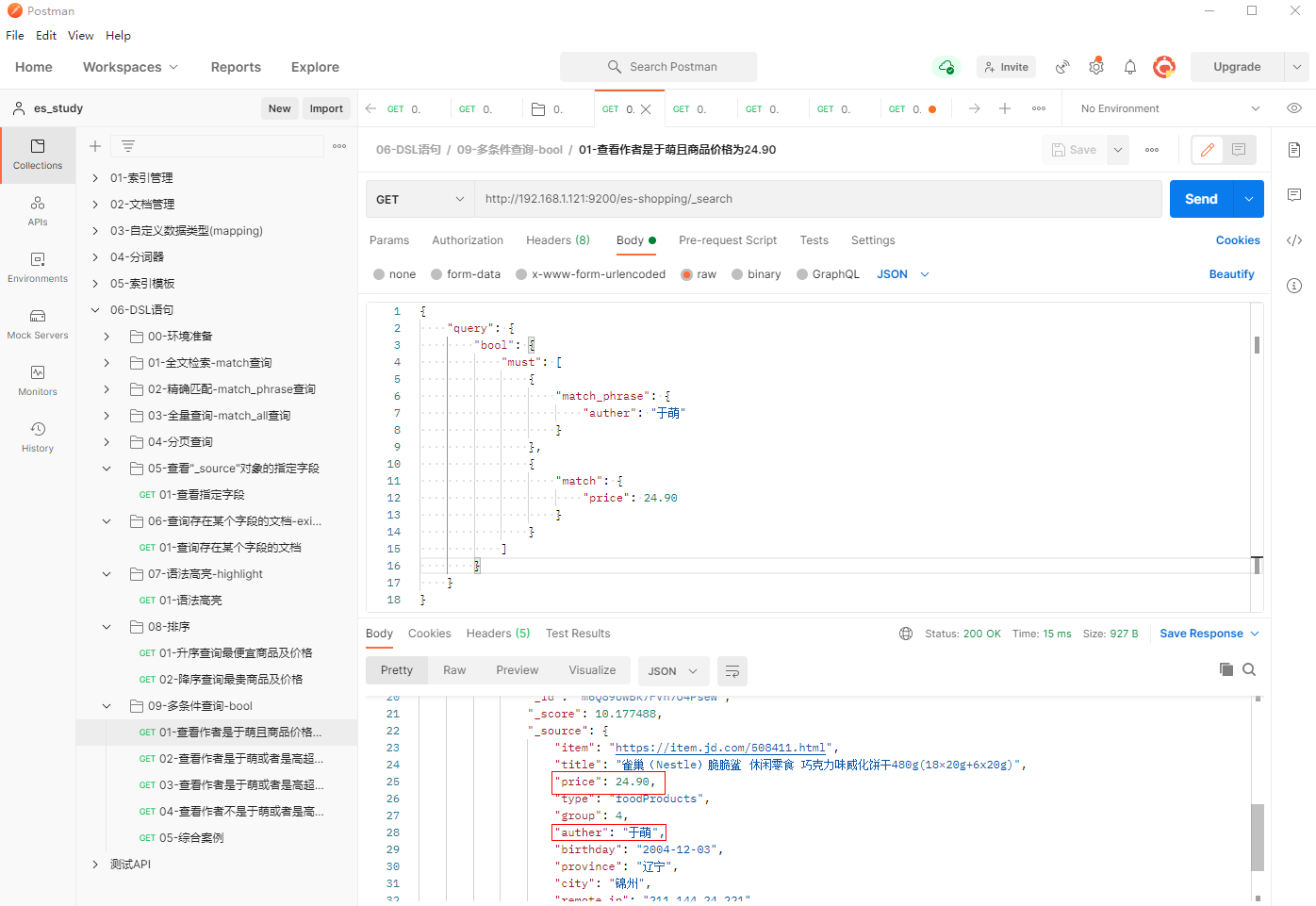
10.1 查看作者是于萌且商品价格为24.90
1、填写GET请求http://192.168.1.121:9200/es-shopping/_search, 查看作者是于萌且商品价格为24.90
{
    "query": {
        "bool": {
            "must": [
                {
                    "match_phrase": {
                        "auther": "于萌"
                    }
                },
                {
                    "match": {
                        "price": 24.90
                    }
                }
            ]
        }
    }
}
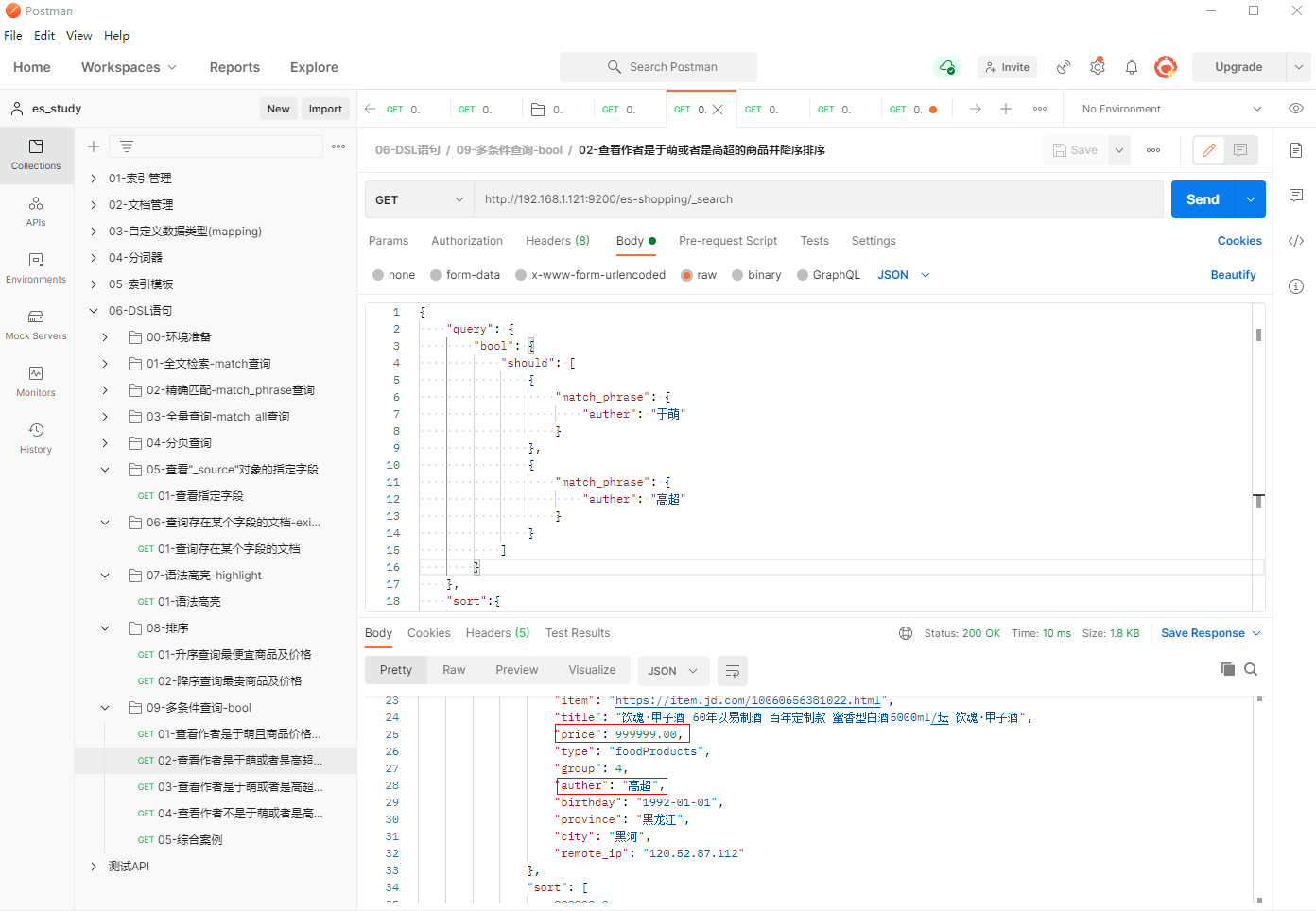
10.2 查看作者是于萌或者是高超的商品并降序排序
1、填写GET请求http://192.168.1.121:9200/es-shopping/_search, 查看作者是于萌或者是高超的商品并降序排序
{
    "query": {
        "bool": {
            "should": [
                {
                    "match_phrase": {
                        "auther": "于萌"
                    }
                },
                {
                    "match_phrase": {
                        "auther": "高超"
                    }
                }
            ]
        }
    },
    "sort":{
        "price":{
            "order": "desc"
        }
    }
}
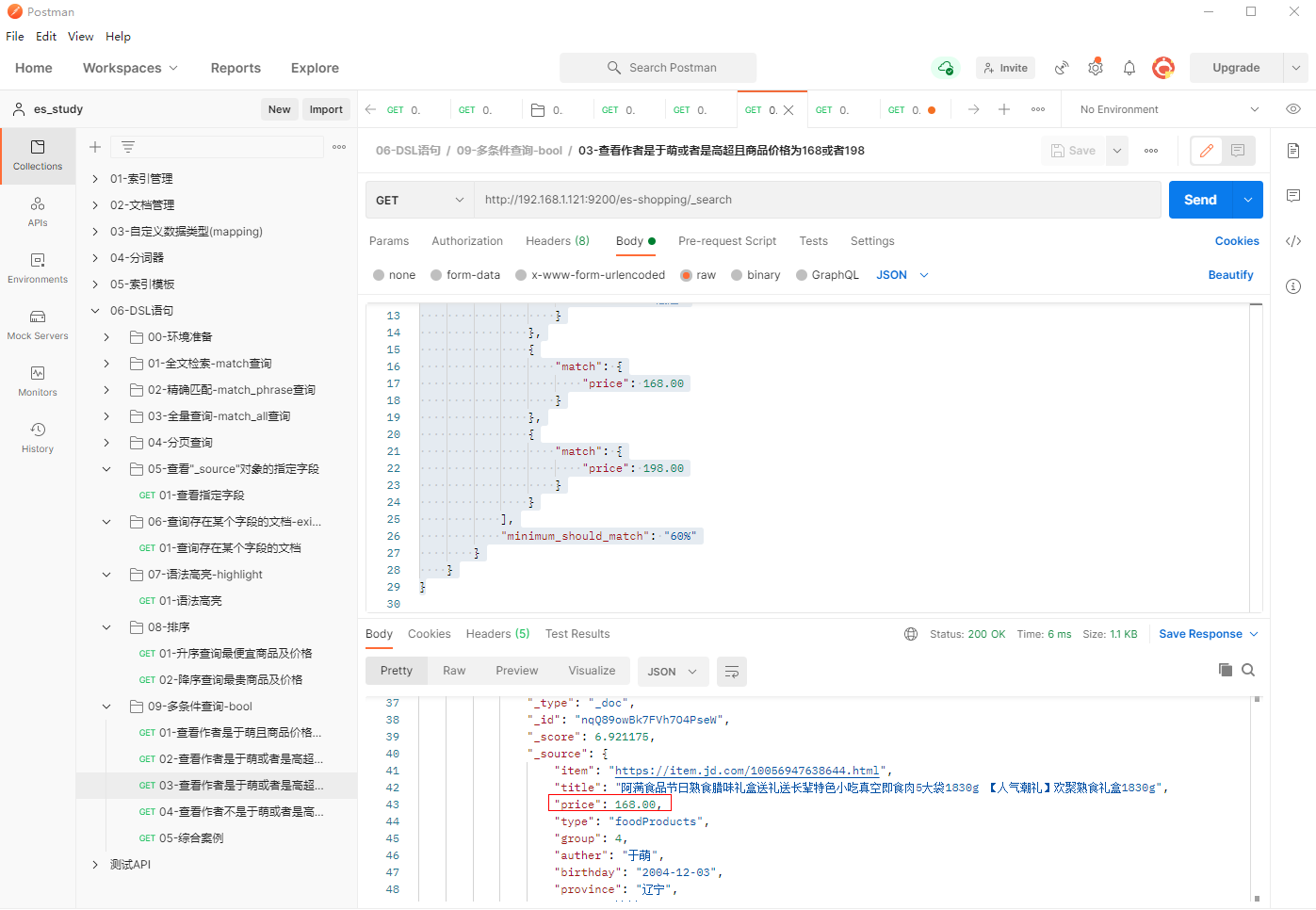
10.3 查看作者是于萌或者是高超且商品价格为168或者198
1、填写GET请求http://192.168.1.121:9200/es-shopping/_search, 查看作者是于萌或者是高超且商品价格为168或者198
{
    "query": {
        "bool": {
            "should": [
                {
                    "match_phrase": {
                        "auther": "于萌"
                    }
                },
                {
                    "match_phrase": {
                        "auther": "高超"
                    }
                },
                {
                    "match": {
                        "price": 168.00
                    }
                },
                {
                    "match": {
                        "price": 198.00
                    }
                }
            ],
            "minimum_should_match": "60%"
        }
    }
}
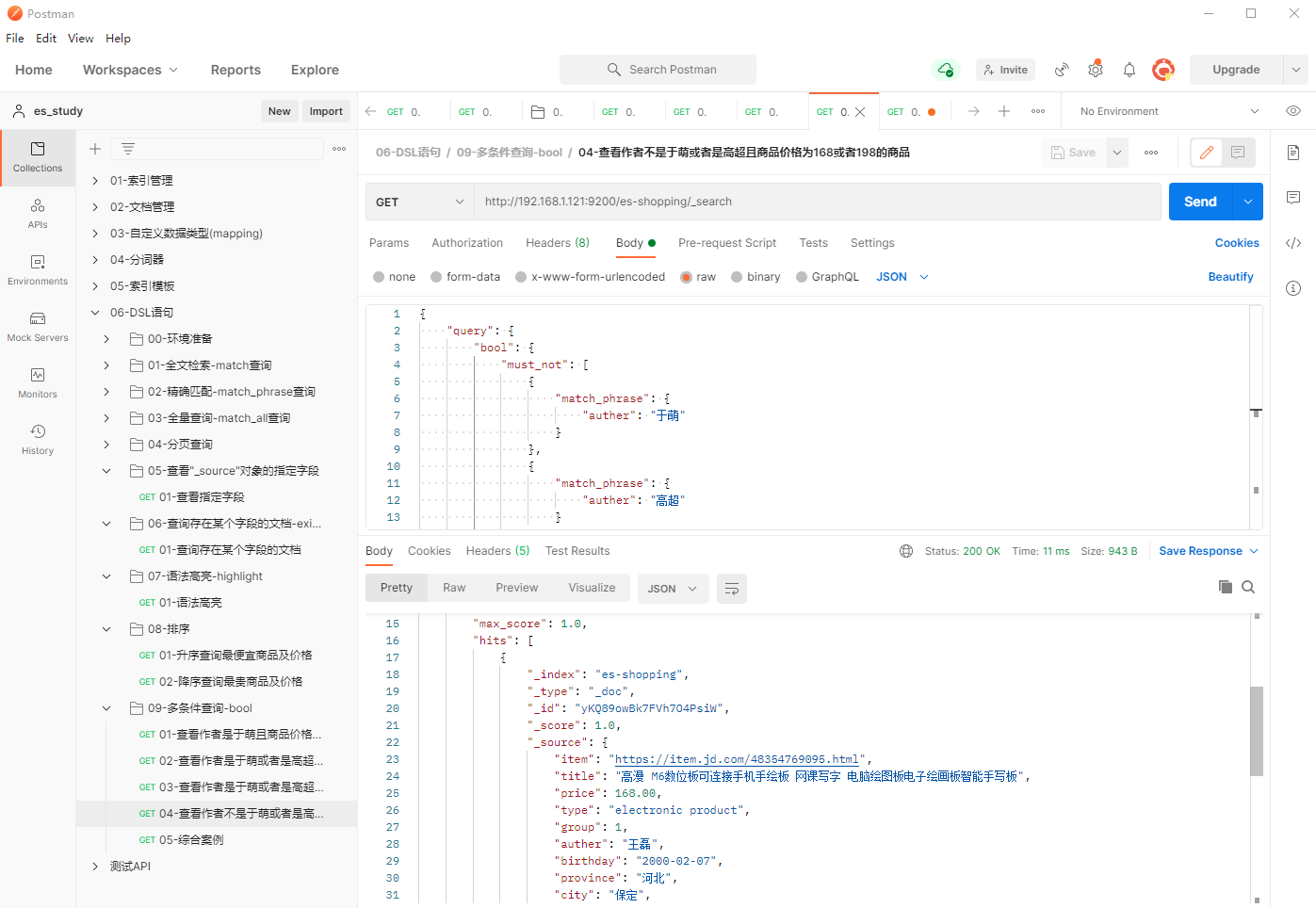
10.4 查看作者不是于萌或者是高超且商品价格为168或者198的商品
1、填写GET请求http://192.168.1.121:9200/es-shopping/_search, 查看作者不是于萌或者是高超且商品价格为168或者198的商品
{
    "query": {
        "bool": {
            "must_not": [
                {
                    "match_phrase": {
                        "auther": "于萌"
                    }
                },
                {
                    "match_phrase": {
                        "auther": "高超"
                    }
                }
            ],
            "should": [
                {
                    "match": {
                        "price": 168.00
                    }
                },
                {
                    "match": {
                        "price": 198.00
                    }
                }
            ],
            "minimum_should_match": 1
        }
    }
}
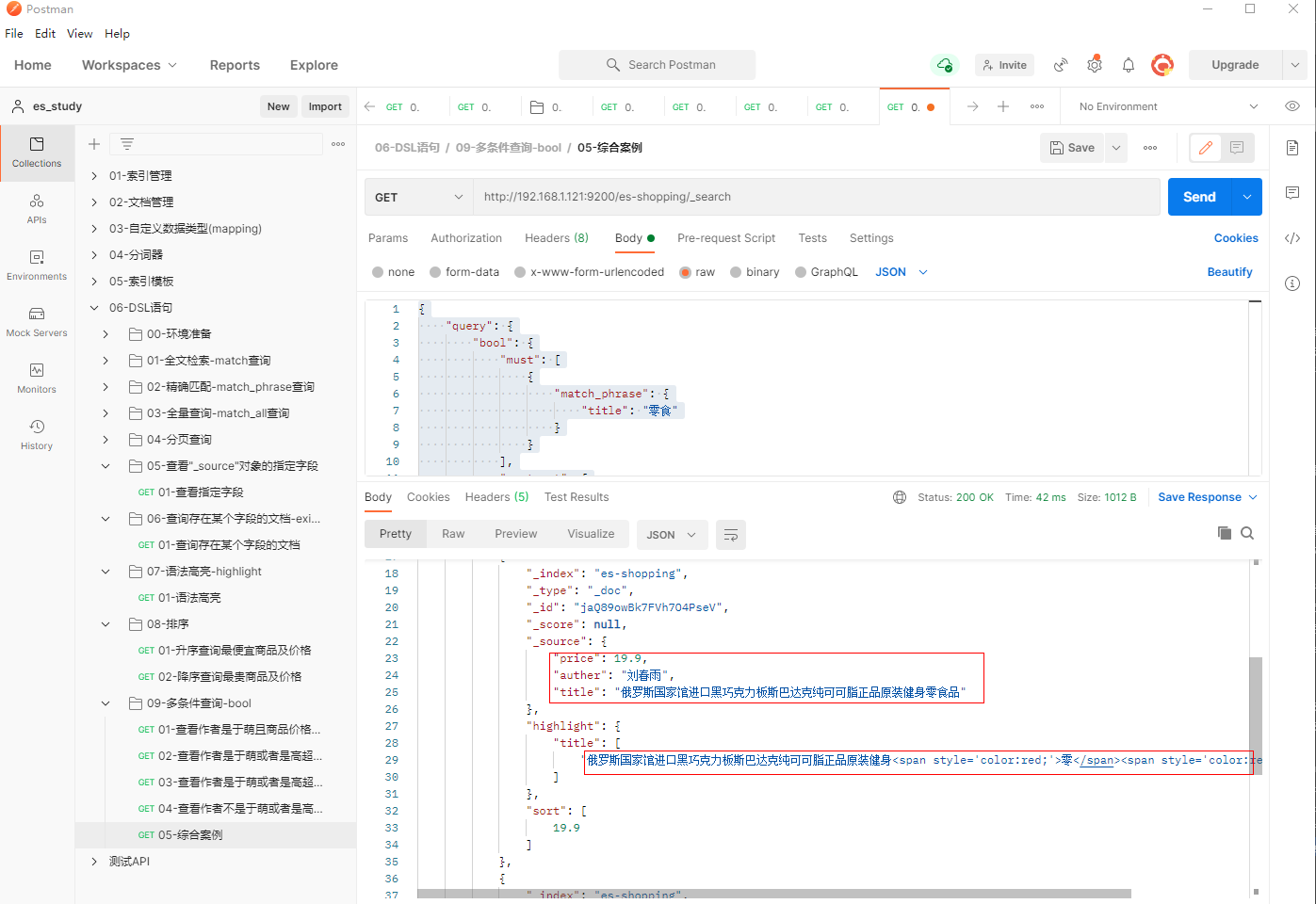
10.5 综合案例(结合highlight、_source、sort)
1、填写GET请求http://192.168.1.121:9200/es-shopping/_search, 查看作者不是于萌和高超且title为零食、商品价格为168、9.9或19.9的商品,匹配"title"、”price”、”author”字段
并对title作高亮及价格做降序
{
    "query": {
        "bool": {
            "must": [
                {
                    "match_phrase": {
                        "title": "零食"
                    }
                }
            ],
            "must_not": [
                {
                    "match_phrase": {
                        "auther": "于萌"
                    }
                },
                {
                    "match_phrase": {
                        "auther": "高超"
                    }
                }
            ],
            "should": [
                {
                    "match": {
                        "price": 168.00
                    }
                },
                {
                    "match": {
                        "price": 9.9
                    }
                },
                {
                    "match": {
                        "price": 19.9
                    }
                }
            ],
            "minimum_should_match": 1
        }
    },
    "highlight": {
        "pre_tags": [
            "<span style='color:red;'>"
        ],
        "post_tags": [
            "</span>"
        ],
        "fields": {
            "title": {}
        }
    },
    "_source": [
        "title",
        "price",
        "auther"
    ],
    "sort": {
        "price": {
            "order": "desc"
        }
    }
}
十一、范围查询-filter
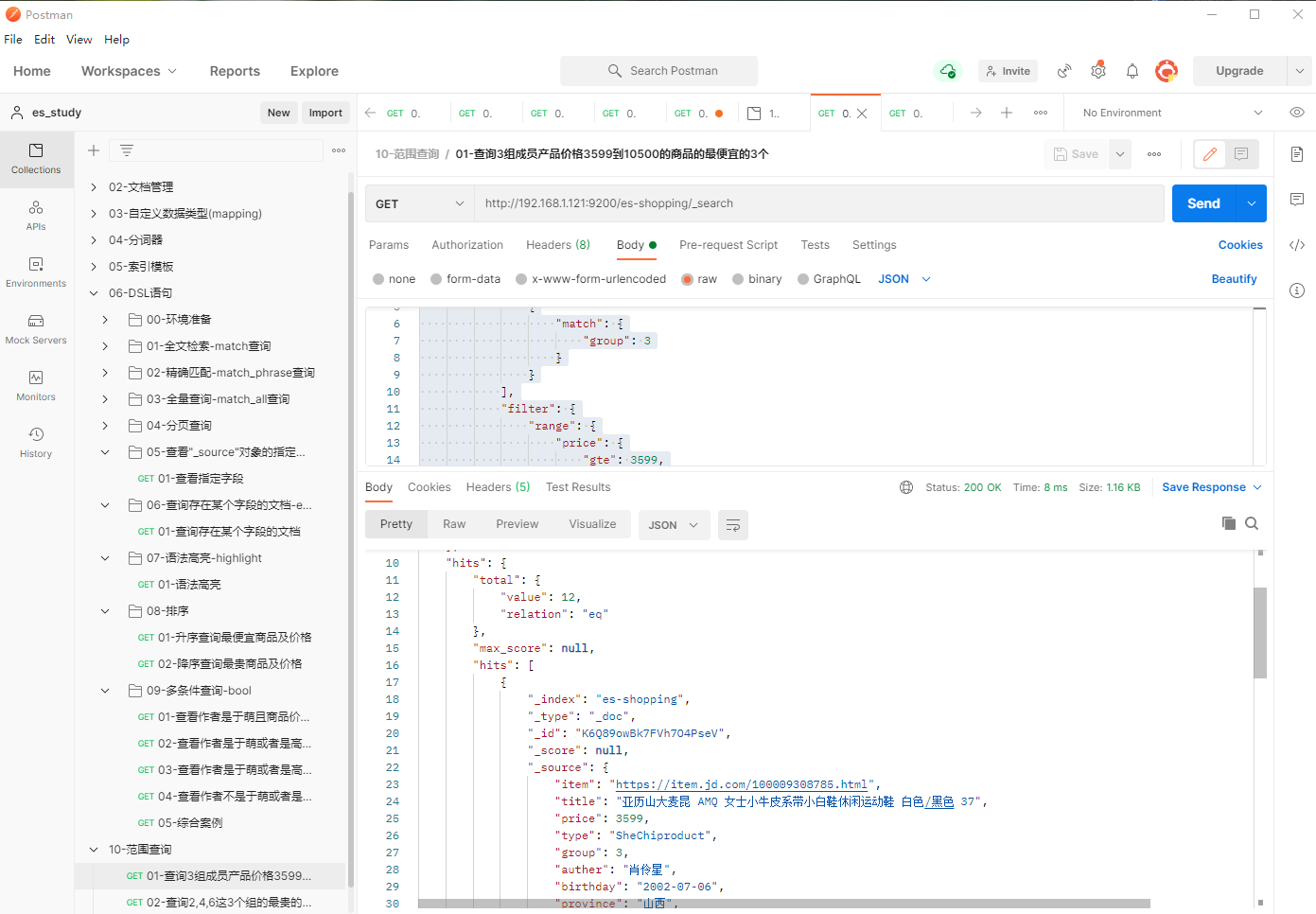
11.1 查询3组成员产品价格3599到10500的商品的最便宜的3个
1、填写GET请求http://192.168.1.121:9200/es-shopping/_search, 查询3组成员产品价格3599到10500的商品的最便宜的3个
{
    "query": {
        "bool": {
            "must": [
                {
                    "match": {
                        "group": 3
                    }
                }
            ],
            "filter": {
                "range": {
                    "price": {
                        "gte": 3599,
                        "lte": 10500
                    }
                }
            }
        }
    },
    "sort": {
        "price": {
            "order": "asc"
        }
    },
    "size": 3
}
2、相关字段说明
(1) filter
过滤数据
(2) range
基于范围进行过滤,此处为基于的是"price"进行过滤。
常见的操作符如下:
-
gt: 大于
-
1t:小于
-
gte:大于等于
-
lte:小于等于
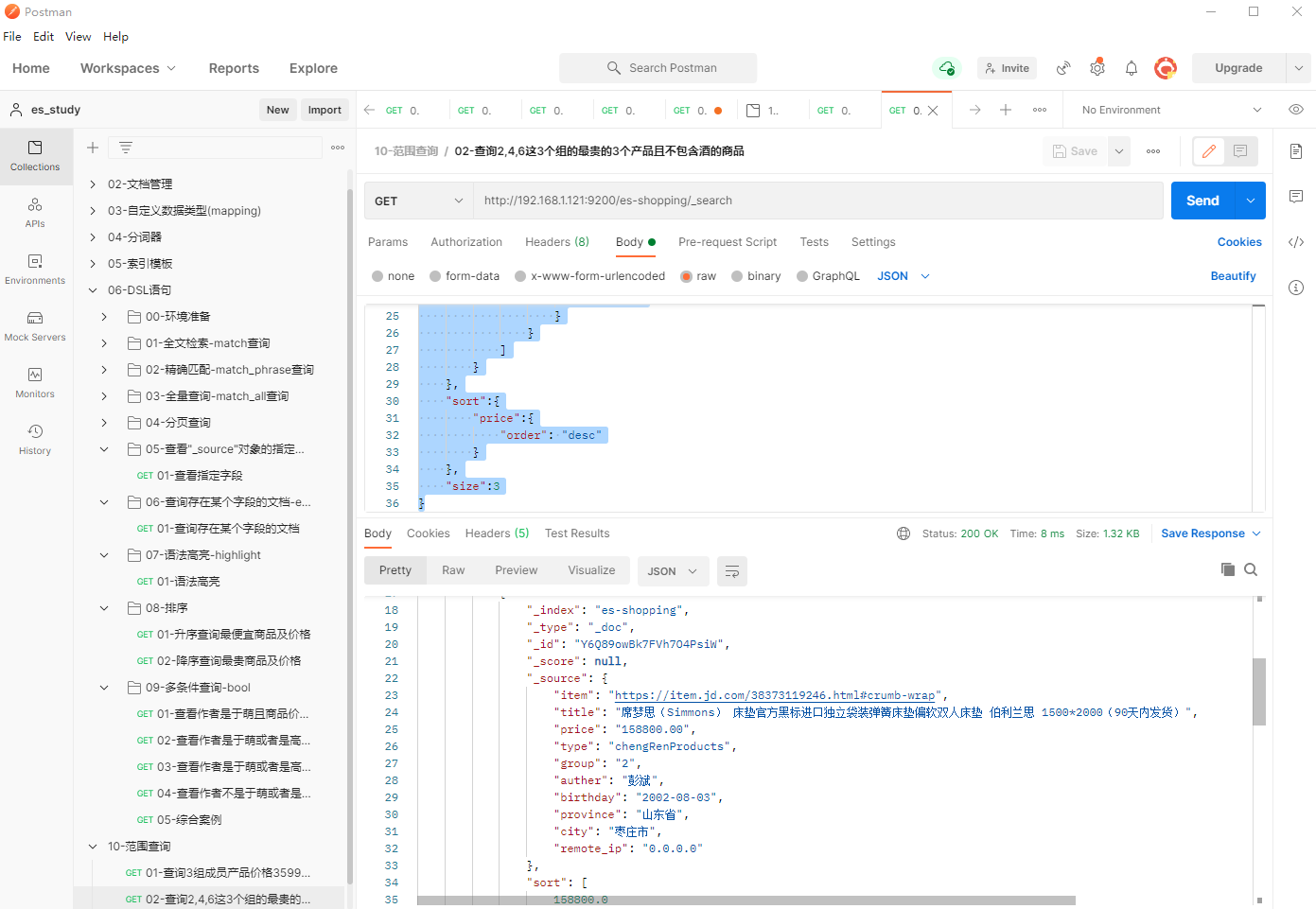
11.2 查询2,4,6这3个组的最贵的3个产品且不包含酒的商品
1、填写GET请求http://192.168.1.121:9200/es-shopping/_search, 查询2,4,6这3个组的最贵的3个产品且不包含酒的商品
{
    "query":{
        "bool":{
            "must_not":[
                {
                    "match":{
                        "title": "酒"
                    }
                }
            ],
            "should": [
                {
                    "match":{
                        "group":2
                    }
                },
                 {
                    "match":{
                        "group":4
                    }
                },
                 {
                    "match":{
                        "group":6
                    }
                }
            ]
        }
    },
    "sort":{
        "price":{
            "order": "desc"
        }
    },
    "size":3
}
2、相关字段说明
(1) filter
过滤数据
(2) range
基于范围进行过滤,此处为基于的是"price"进行过滤。
常见的操作符如下:
-
gt: 大于
-
1t:小于
-
gte:大于等于
-
lte:小于等于
十二、精确匹配多个值-terms
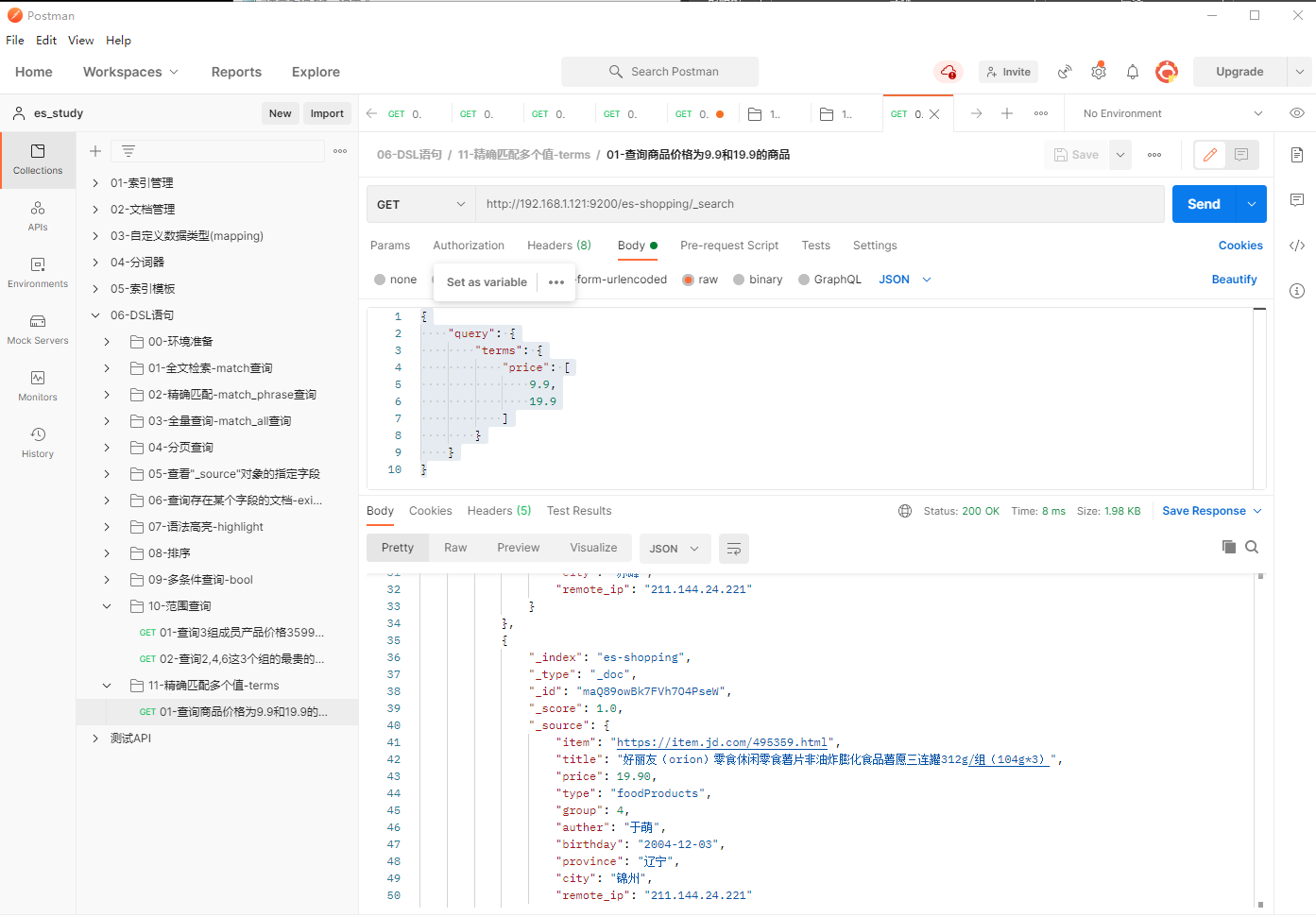
1、填写GET请求http://192.168.1.121:9200/es-shopping/_search, 查询商品价格为9.9和19.9的商品
{
    "query": {
        "terms": {
            "price": [
                9.9,
                19.9
            ]
        }
    }
}
十三、多词案例-了解即可
1、填写GET请求http://192.168.1.121:9200/es-shopping/_search, 多词搜索包含"小面包"关键字的所有商品
{
    "query": {
        "bool": {
            "must": [
                {
                    "match": {
                        "title": {
                            "query": "小面包",
                            "operator": "and"
                        }
                    }
                }
            ]
        }
    },
    "highlight": {
        "pre_tags": [
            "<h1>"
        ],
        "post_tags": [
            "</h1>"
        ],
        "fields": {
            "title": {}
        }
    }
}
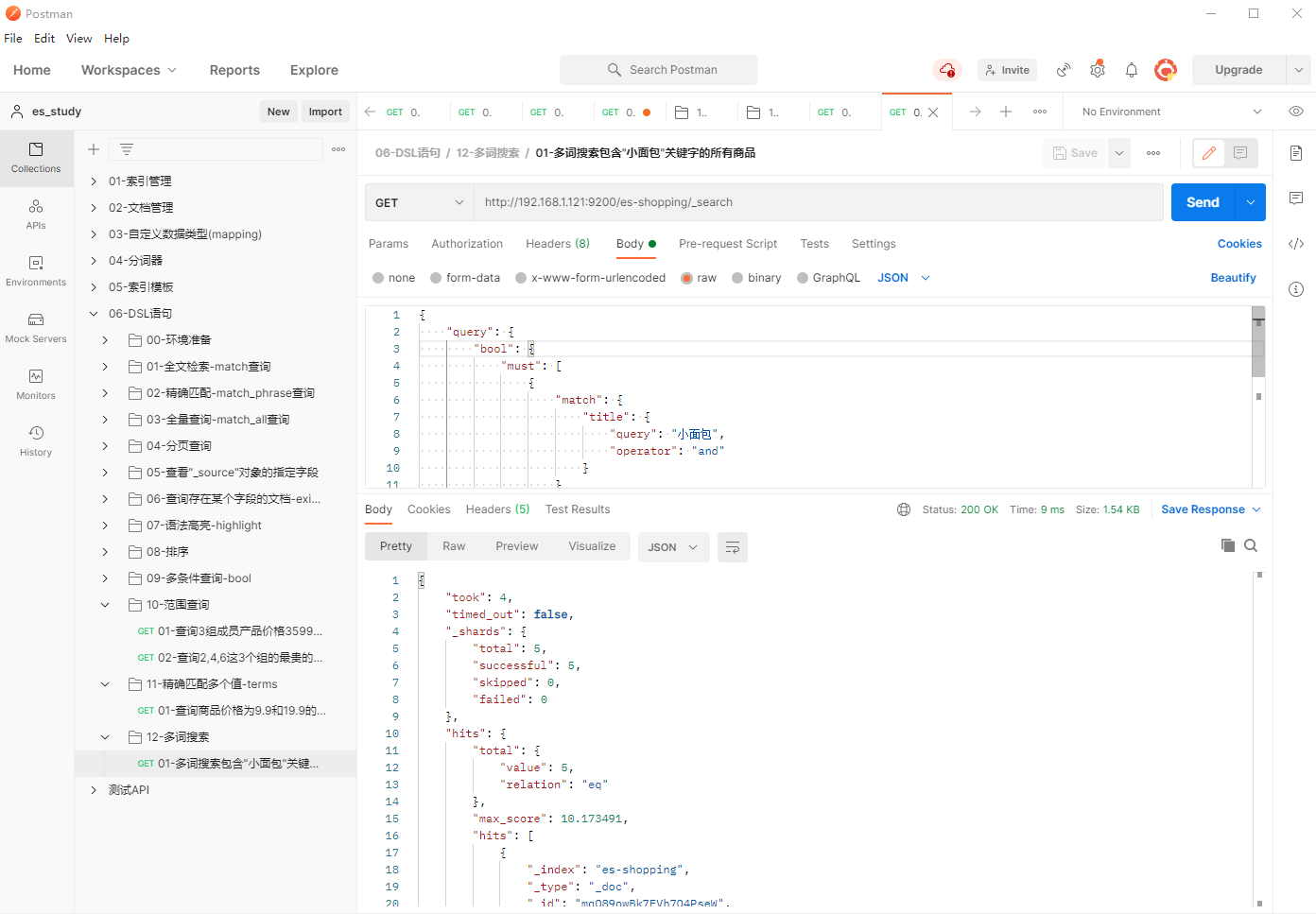
注意事项:当我们将"operator'"设置为"and"则文档必须包含"query"中所有词汇(顺序颠倒无所谓),"operator"的默认值为"or"。
十四、权重案例-了解即可
1、填写GET请求http://192.168.1.121:9200/es-shopping/_search, 提高多词搜索包含"下午茶"关键字的所有商品的权重,使其排在前面
{
    "query": {
        "bool": {
            "must": [
                {
                    "match": {
                        "title": {
                            "query": "小面包",
                            "operator": "and"
                        }
                    }
                }
            ],
            "should": [
                {
                    "match": {
                        "title": {
                            "query": "下午茶",
                            "boost": 5
                        }
                    }
                },
                {
                    "match": {
                        "title": {
                            "query": "良品铺子",
                            "boost": 2
                        }
                    }
                }
            ]
        }
    },
    "highlight": {
        "pre_tags": [
            "<h1>"
        ],
        "post_tags": [
            "</h1>"
        ],
        "fields": {
            "title": {}
        }
    }
}
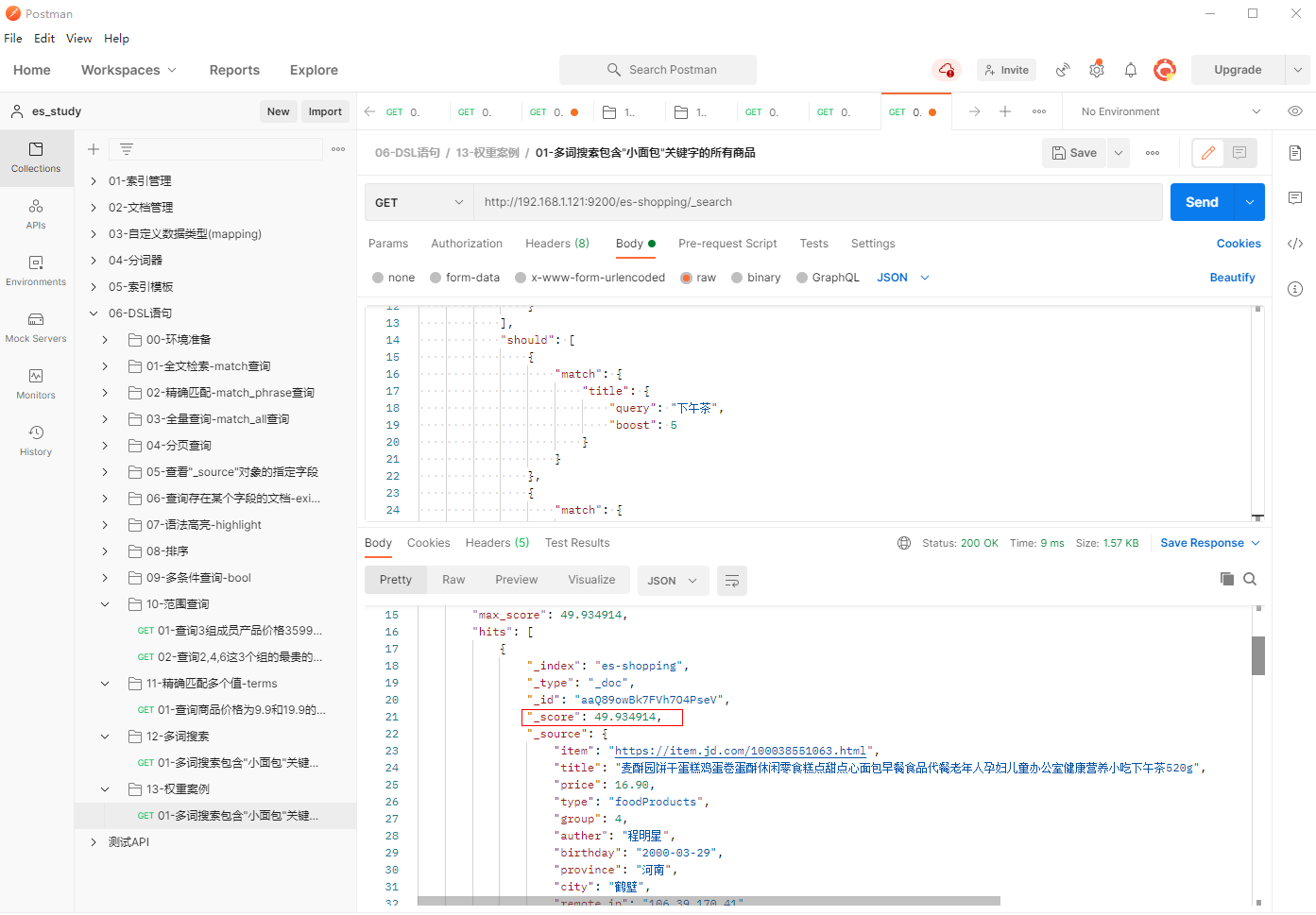
注意事项:修改”boost”字段的值来提升相应权重。
十五、聚合案例-了解即可
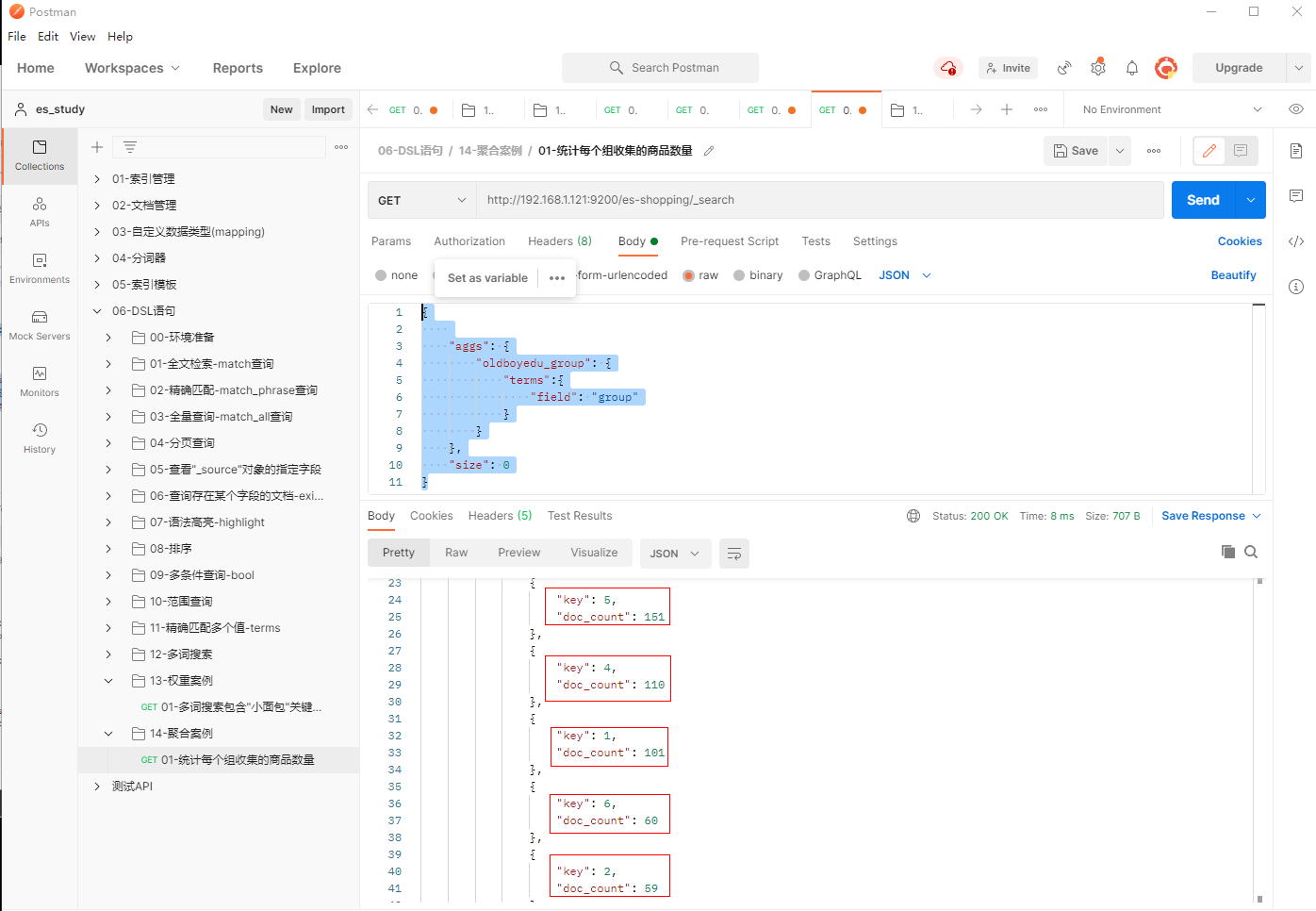
15.1 统计每个组收集的商品数量
1、填写GET请求http://192.168.1.121:9200/es-shopping/_search, 统计每个组收集的商品数量
{

    "aggs": {
        "es_group": {
            "terms":{
                "field": "group"
            }
        }
    },
    "size": 0
}
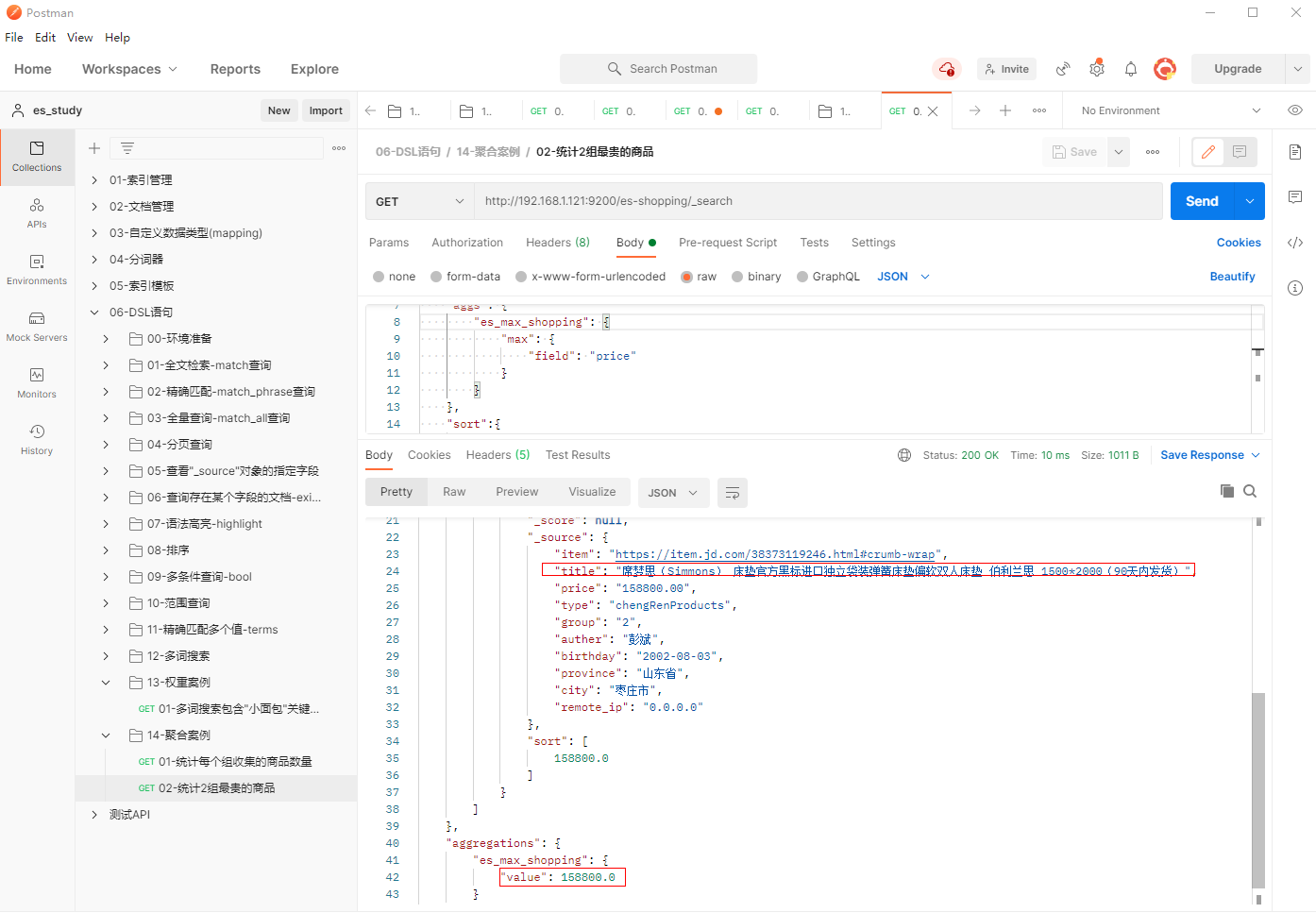
15.2 统计2组最贵的商品
1、填写GET请求http://192.168.1.121:9200/es-shopping/_search, 统计2组最贵的商品
{
    "query": {
        "match": {
            "group": 2
        }
    },
    "aggs": {
        "es_max_shopping": {
            "max": {
                "field": "price"
            }
        }
    },
    "sort":{
        "price":{
            "order":"desc"
        }
    },
    "size": 1
}
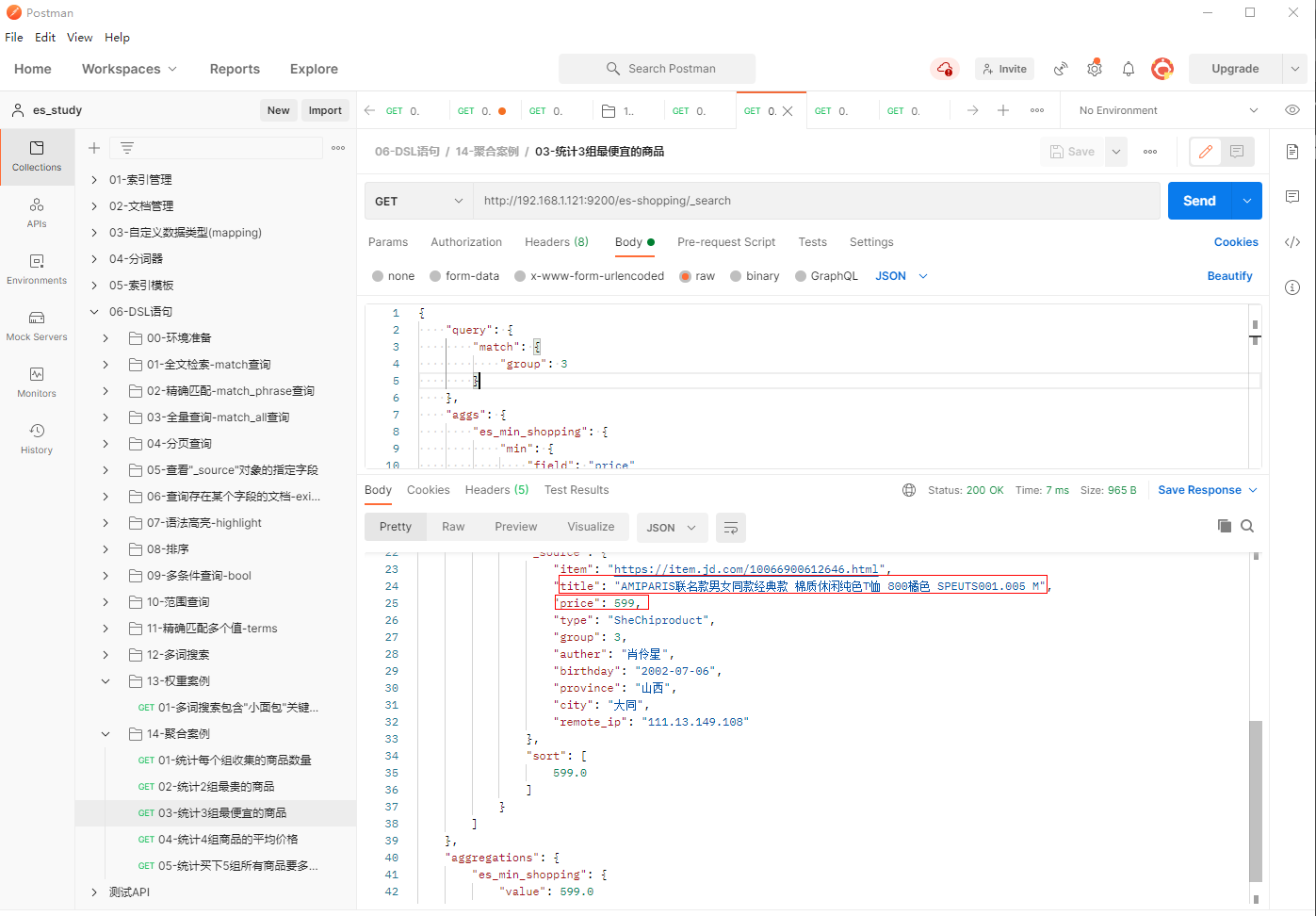
15.3 统计3组最便宜的商品
1、填写GET请求http://192.168.1.121:9200/es-shopping/_search, 统计3组最便宜的商品
{
    "query": {
        "match": {
            "group": 3
        }
    },
    "aggs": {
        "es_min_shopping": {
            "min": {
                "field": "price"
            }
        }
    },
    "sort":{
        "price":{
            "order": "asc"
        }
    },
    "size": 1
}
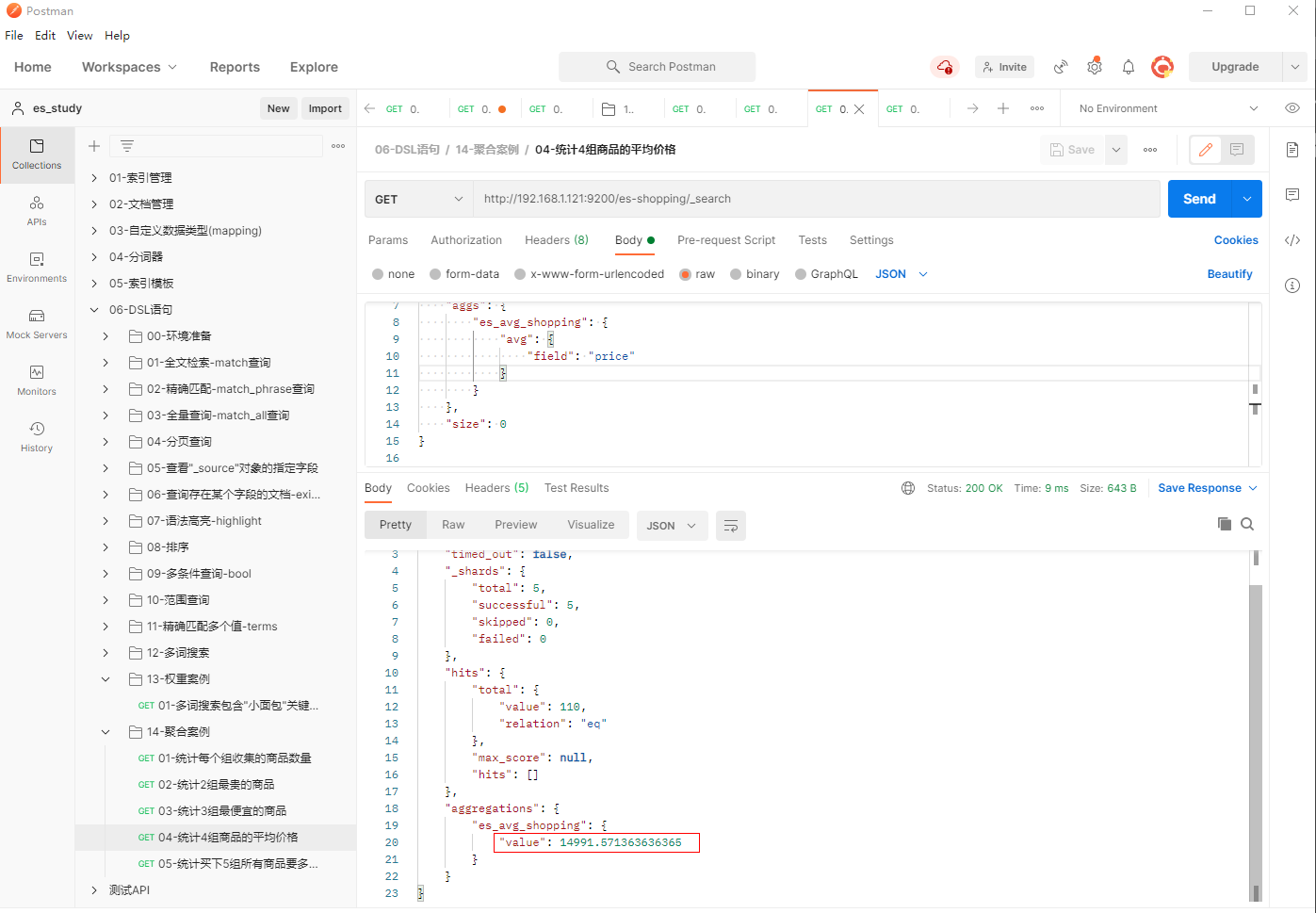
15.4 统计4组商品的平均价格
1、填写GET请求http://192.168.1.121:9200/es-shopping/_search, 统计4组商品的平均价格
{
    "query": {
        "match": {
            "group": 4
        }
    },
    "aggs": {
        "es_avg_shopping": {
            "avg": {
                "field": "price"
            }
        }
    },
    "size": 0
}
15.5 统计买下5组所有商品要多少钱
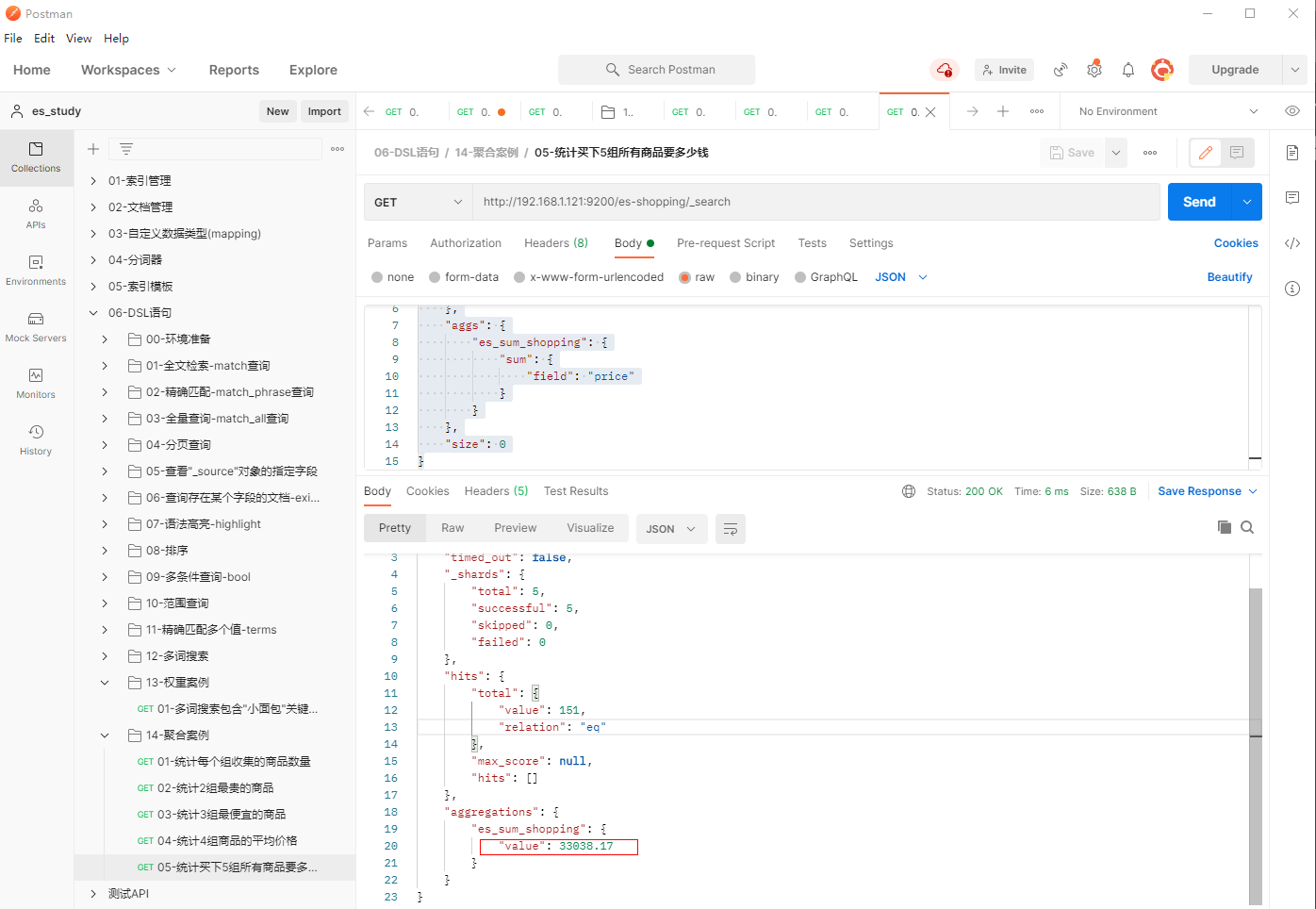
1、填写GET请求http://192.168.1.121:9200/es-shopping/_search, 统计5组商品的平均价格
{
    "query": {
        "match": {
            "group":5
        }
    },
    "aggs": {
        "es_sum_shopping": {
            "sum": {
                "field": "price"
            }
        }
    },
    "size": 0
}