
一、内部样式表(写在head的style标签中)
适合:小 demo、学习练习、单页面快速写
<head>
  <style>
    p {
      color: red;
    }
  </style>
</head>
优点:简单直接 缺点:代码多了会乱,不利于复用与维护
示例说明:
1、创建一个名为css-study的文件夹并使用VSCode打开,再创建一个名为6-1.CSS引用方式-内部样式表.html
<!DOCTYPE html>
<html>
    <head>
        <style>
            div {
                /* 设置背景颜色 */
                background-color: red;
                /* 设置宽度和高度 */
                width: 500px; height: 500px;
                margin: 10px;
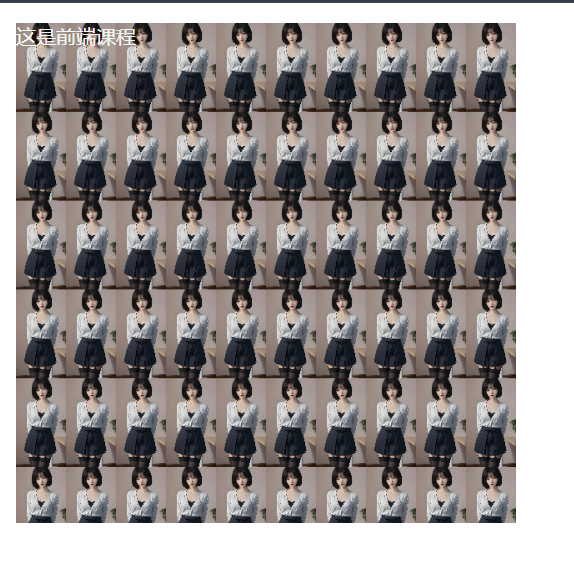
                background-image: url('https://bucketbucket1.oss-cn-beijing.aliyuncs.com/imag/image-20250519081918669.png');
                /* 内部样式表优先级低于行内样式表 */
                background-size: 100px;
            }
            p {
                font-size: 20px;
                color: whitesmoke;
            }

        </style>
    </head>
    <!-- 行内样式表如果这块也同样设置了background-size,这里的优先级比上面的优先级要高 -->
    <div style="background-size: 50px;">
        <p>
            这是前端课程
        </p>
    </div>
</html>
2、双击【6.CSS引用方式-内部样式表.html】
二、外部样式表(推荐方式)
适合:真实项目(推荐)
步骤:
- 新建
style.css - 在 HTML 里引入:
<link rel="stylesheet" href="style.css">
优点:
- 结构(HTML)和样式(CSS)分离
- 多页面复用同一套 CSS
- 维护更清晰
示例说明:
1、创建一个名为css-study的文件夹并使用VSCode打开,再创建一个名为6-2.CSS引用方式-外部样式表.html
<!DOCTYPE html>
<html>
<head>
    <!-- 外部样式表引用 -->
    <link rel="stylesheet" type="text/css" href="6-2.styles.css">
    <title>外部样式表示例</title>
</head>
<body>
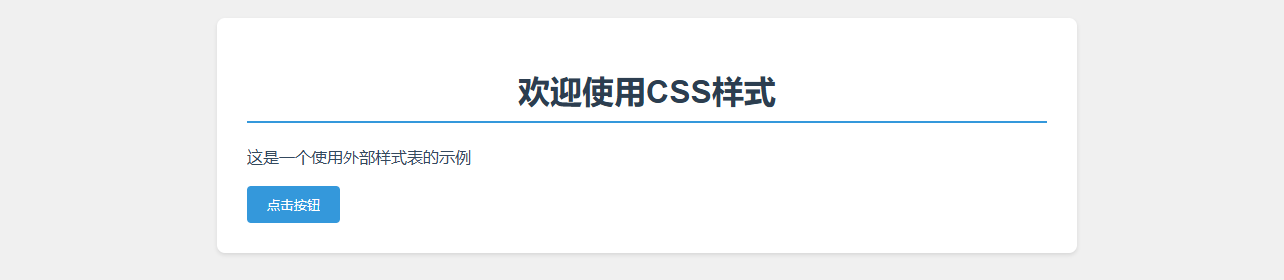
    <div class="container">
        <h1>欢迎使用CSS样式</h1>
        <p class="content">这是一个使用外部样式表的示例</p>
        <button class="btn">点击按钮</button>
    </div>
</body>
</html>
2、在和6-2.CSS引用方式-外部样式表.html文件的同级目录下创建6-2.styles.css文件
/* styles.css 文件内容 */
body {
    background-color: #f0f0f0;
    font-family: Arial, sans-serif;
    margin: 0;
    padding: 20px;
}

.container {
    max-width: 800px;
    margin: 0 auto;
    background-color: white;
    padding: 30px;
    border-radius: 8px;
    box-shadow: 0 2px 4px rgba(0,0,0,0.1);
}

h1 {
    color: #2c3e50;
    text-align: center;
    border-bottom: 2px solid #3498db;
    padding-bottom: 10px;
}

.content {
    font-size: 16px;
    line-height: 1.6;
    color: #34495e;
}

.btn {
    display: inline-block;
    padding: 10px 20px;
    background-color: #3498db;
    color: white;
    border: none;
    border-radius: 4px;
    cursor: pointer;
    transition: background-color 0.3s;
}

.btn:hover {
    background-color: #2980b9;
}
3、双击【6-2.CSS引用方式-外部样式表.html】